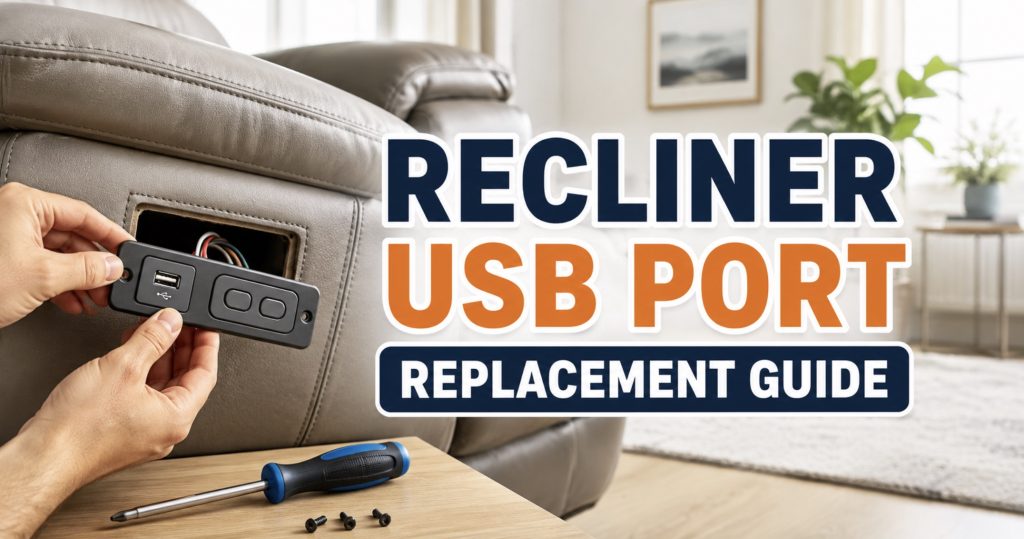
A dead recliner USB port is annoying, especially when the chair still reclines normally. The good news is the USB module, switch panel, power lead, or control box connection is often replaceable. This guide walks you through checking the simple stuff first, matching the right replacement, and installing it safely.
- Common Signs Your Recliner USB Port Is Bad
- Check These Before Replacing the USB Port
- Types of Recliner USB Ports and Switch Panels
- How to Diagnose the Problem
- How to Replace a Recliner USB Port
- How to Match the Correct Replacement USB Module
- When the Problem Is the Power Supply
- When the USB Port Is Built Into the Switch Panel
- When the Control Box or Wiring Is the Issue
- Tools You May Need
- Helpful Replacement Parts and Searches
- How to Prevent USB Port Failure
- Frequently Asked Questions
Common Signs Your Recliner USB Port Is Bad
A recliner USB port can fail in a few different ways. Sometimes the chair still reclines perfectly, but your phone no longer charges. Other times, the USB port flickers, gets hot, or only works when the cable is held at a certain angle.
- No charging at all: Your phone, tablet, or cable does not respond when plugged into the recliner USB port.
- Charging starts and stops: The device keeps connecting and disconnecting, especially when the chair moves.
- Loose USB socket: The plug wiggles inside the port or falls out easily.
- Only one USB port works: Dual-port panels may have one working port and one dead port.
- USB works but recliner buttons do not: The charging circuit may still work while the switch circuit has failed.
- Recliner works but USB does not: The motor circuit may be fine while the USB module, wiring, or low-voltage feed is bad.
- Burning smell or heat: Stop using the port immediately if the USB module becomes hot, smells burned, or shows discoloration.
- Physical damage: Bent contacts, cracked plastic, or a broken center tongue inside the USB port usually means replacement is needed.
A dead USB port does not always mean the entire recliner electrical system is bad. Many USB modules are separate from the motor circuit, so you want to test carefully before ordering parts.
Check These Before Replacing the USB Port
Before removing the switch panel or buying a replacement USB module, rule out the easy problems.
- Try another charging cable: A worn phone cable is one of the most common false alarms.
- Try another device: Test the USB port with a different phone, power bank, or USB light.
- Remove the phone case: Thick cases can prevent some charging plugs from seating fully.
- Check the outlet: Make sure the recliner is plugged into a working outlet or surge protector.
- Check the transformer light: If the recliner power brick has an LED, confirm it is on.
- Check the recliner functions: Test footrest, headrest, lumbar, heat, massage, and Home buttons if equipped.
- Unplug and reset: Disconnect the recliner from wall power for 60–90 seconds, then reconnect it.
- Inspect for debris: Use a flashlight to check the USB port for lint, dust, crumbs, or broken cable tips.
Use a small plastic pick or compressed air to remove lint, but do not scrape aggressively with metal tools. The tiny contacts inside a USB socket can bend or short.
If the whole chair has power issues, the Power Recliner Has Power but Won’t Move? Fixes guide can help you test the transformer, control box, actuator, and wiring path.
Types of Recliner USB Ports and Switch Panels
Not all recliner USB ports are the same. Some are built into the side control panel, while others are separate charging modules mounted in the armrest, cup holder, console, or power hub.
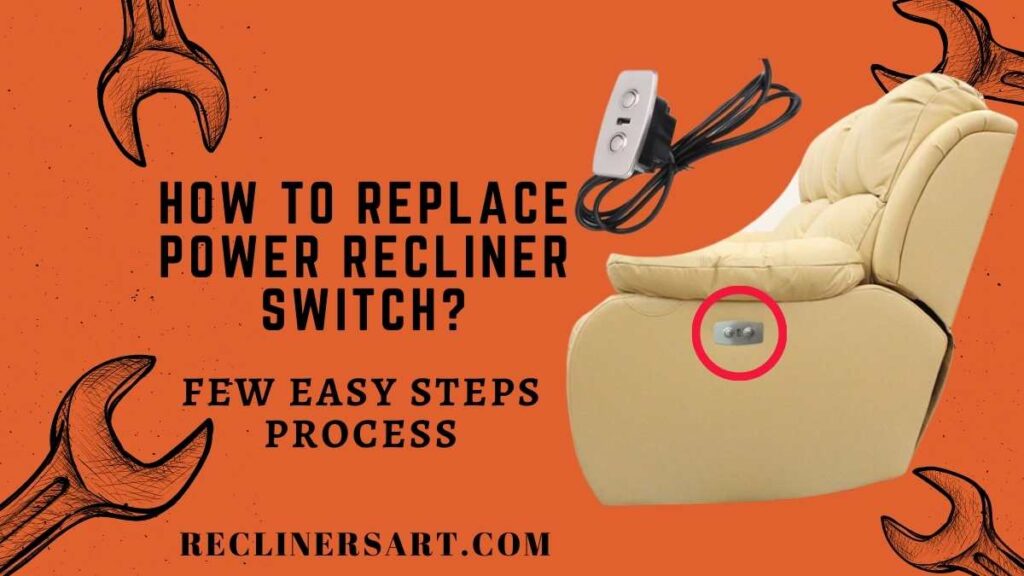
1. USB Port Built Into the Recliner Switch Panel
This is common on power recliners with side buttons. The same panel may include:
- Open and close buttons
- Home button
- Headrest controls
- Lumbar controls
- USB-A port
- USB-C port
- LED backlight
If the USB port is part of the switch panel, you may need to replace the entire panel rather than just the port.
2. Separate USB Charging Module
Some recliners use a small round, oval, or rectangular USB module separate from the motion controls. These may be easier to replace if the cutout size and connector match.
3. Cup Holder Power Hub
The USB charger may be integrated into a cup holder, storage console, or theater-seat power hub. In that case, the replacement part may need to match the cup holder size, wiring harness, LED color, and mounting tabs.
4. USB Port Powered by a Control Box
Some USB ports are fed through the recliner’s control box or accessory harness. If the port is dead, the problem could be the control box output, not the USB socket itself.
5. USB Port Powered by a Separate Adapter
A few setups use a dedicated low-voltage adapter or splitter. If this adapter fails, the USB port may die while the recliner still moves normally.

Codeforge Power Recliner Switch MLSK35-G9 Right LSF (Left Side Facing), 5 Button 5 Pin Controller with USB, MLSK35-G6 / MLSK35-G for Dual Motor Power Recliner, Lift Chair, Sofa, Couch, Massage Bed

YUXIVCNE KDH127H-001 Hand Control Switch 5 Button 5 Pin Prong Compatible with Kaidi Electric Recliner Controller with USB Port, Silver Replacement Parts for Lift Chair and Sofa

Power Recliner 5 Button Switch WPS5F10033 Hand Control 23300020X000
How to Diagnose a Recliner USB Port Problem
Step 1: Test the Device and Cable Somewhere Else
Plug the same cable and phone into a wall charger. If it does not charge there, the recliner is not the problem. If it works normally from a wall charger, continue testing the recliner.
Step 2: Test the Recliner USB Port with Another Cable
Use a short, known-good cable. Long, cheap, or damaged cables can cause slow charging or repeated disconnects.
Step 3: Check Whether the Recliner Still Moves
This gives you a big clue:
- Recliner moves but USB is dead: The USB module, switch panel, accessory cable, or USB circuit may be bad.
- USB works but recliner will not move: The USB circuit may be separate from the motor circuit.
- Nothing works: Check the wall outlet, transformer, power cord, battery backup, and main control box.
Step 4: Inspect the USB Socket Closely
Look for:
- Bent center tongue
- Broken plastic insert
- Loose metal sleeve
- Corrosion
- Burn marks
- Debris packed into the port
- Port moving inside the panel
If the socket is physically broken, cleaning will not fix it. Replace the module or panel.
Step 5: Check for Loose Wires Behind the Panel
Unplug the recliner first. Remove the switch panel or USB module carefully and inspect the wiring behind it. A loose harness plug is common, especially if the chair has been moved, leaned back, or repaired before.
Step 6: Check the Power Supply and Splitter Cables
If the USB module receives power from a splitter or accessory cable, trace that cable back to the transformer, control box, or junction point. Look for crushed wires, loose plugs, and connectors caught in the reclining mechanism.
A recliner USB charger replacement module may be the right fix when the port itself is loose, cracked, or burned, but only after checking the cable and power source.
How to Replace a Recliner USB Port
The exact process depends on whether your USB port is separate or built into the switch panel, but the basic repair flow is similar.
Step 1: Unplug the Recliner
Disconnect the recliner from the wall outlet. If it has a battery backup pack, disconnect that too. Do not work on a powered recliner while the USB module or switch panel is connected.
Step 2: Photograph Everything Before Removal
Take pictures of:
- The front of the USB port or switch panel
- The button layout
- The USB port shape
- The wiring behind the panel
- Connector orientation
- Any part numbers or labels
- The cutout size and mounting style
Photos are especially helpful when comparing replacement listings or asking sellers about compatibility.
Step 3: Remove the USB Module or Switch Panel
Most panels are held by screws, spring clips, tabs, or a snap-in bezel.
- Remove visible screws first.
- Use a plastic trim tool around the bezel if the panel is clipped in.
- Do not pry against leather or vinyl with a metal screwdriver unless protected.
- Pull the panel out gently so you do not stretch the wires.
- Stop if the panel catches; check for hidden screws or tabs.
Step 4: Disconnect the Wiring Harness
Release locking tabs before unplugging connectors. Pull on the plug body, not the wires. If multiple connectors look similar, label them with tape before removal.
Step 5: Compare the Old and New Part
Before installing the replacement, compare:
- Panel size
- Cutout shape
- Screw spacing
- Clip location
- USB type
- Number of buttons
- Connector type
- Wire length
- Voltage rating
- Button symbols
Do not install a replacement just because the front looks similar. The rear connector and wiring layout must match too.
Step 6: Reconnect the Replacement
Plug the new USB module or switch panel into the same harness. Make sure the connector seats fully and any locking tab clicks into place.
Step 7: Test Before Fully Reinstalling
Reconnect wall power and test the USB port before pushing the panel back into the armrest. If the recliner also has buttons on that panel, test every function.
- USB charging
- Footrest open and close
- Headrest movement
- Lumbar movement
- Home button
- Heat or massage if equipped
Step 8: Secure the Panel
Once everything works, unplug the recliner again, tuck the wires safely away from moving parts, and secure the panel. Avoid pinching the harness behind the armrest.
Step 9: Final Test
Restore power and test the recliner through a full movement cycle. Make sure wires do not pull, rub, or catch as the chair moves.

How to Match the Correct Replacement USB Module
Recliner USB ports are not always universal. Matching the front appearance is not enough. The rear plug, voltage, cutout, and button layout matter.
Measurements to Take
- Overall panel width and height
- Cutout width and height
- Round module diameter if applicable
- Screw-hole spacing
- Depth behind the armrest
- Wire length
- Connector size and shape
Specifications to Check
- Input voltage
- USB output rating
- USB-A, USB-C, or both
- Button count
- Motor count supported
- Backlight or LED style
- Connector pin count
- Control-box compatibility
Connector Details to Compare
- Number of pins
- Flat plug vs round DIN plug
- Locking tab position
- Male or female connector
- Keyway shape
- Wire color order if visible
The guide on how to measure recliner parts before you order is useful here because USB modules, power switches, remotes, power supplies, and control boxes all depend on careful size and connector matching.
When the Problem Is the Recliner Power Supply
Sometimes the USB port is fine, but the power supply feeding it is weak, unplugged, or failing.
Signs the Power Supply May Be the Problem
- USB port charges slowly or disconnects repeatedly
- USB works only when the recliner is not moving
- The recliner clicks but struggles to move
- The transformer LED flickers
- The power brick gets unusually hot
- Multiple powered accessories stop working together
- The chair works again after wiggling the power cable
Many recliners use a low-voltage transformer, often around 29V, but you should always match the original label. Do not buy a power supply based only on the chair brand.
Check These Power Supply Details
- Output voltage
- Output amperage
- Connector type
- Polarity
- Battery backup compatibility
- AC cord type
- Control-box compatibility
A power recliner power supply replacement may help if the original transformer is weak or unstable, but match the voltage, amperage, plug, and polarity first.

Power Recliner Power Supply, AC/DC Switching Power Supply Transformer 2-pin 29V/24V 2A Adapter with AC Power Cord for Electric Power Recliner Lift Chair

Power Recliner Power Supply,for 29v 2a Recliner Power Supply 2 pin | Universal Power Cord, Compatible with Most Recliner/Lift Chair/Electric Sofa/Recliner Couch

Power Recliner Power Supply, 2-Pin AC/DC Adapter 100-240V, Quality 29V 2A Switching Transformer, Replacement Part for Recliner Couch/Electric Sofa/Lift Chair (Black, 1Pack)
When the USB Port Is Built Into the Switch Panel
If your USB port is part of the side control panel, replacing only the USB socket may not be practical. Many panels are sealed or molded as one part.
Replace the Full Switch Panel When:
- The USB port is molded into the panel
- The buttons and USB share one circuit board
- The panel is cracked
- The USB socket has broken away internally
- The buttons are also failing
- The USB port overheated or burned
- The rear connector is damaged
Be Careful With Multi-Function Panels
A recliner side panel may control several features:
- Main recline
- Power headrest
- Power lumbar
- Heat
- Massage
- LED lighting
- Memory positions
- USB charging
A replacement panel must support the same features. A panel with the same shape but fewer functions may plug in and still fail to operate the chair correctly.
The replacement remote control for recliner chair guide is also helpful for understanding button count, connector style, and compatibility when the USB port is part of a remote or switch control system.
Search for a recliner USB switch panel replacement only after checking the original panel’s size, connector, button layout, and feature count.
Codeforge Power Recliner Switch MLSK35-G9 Right LSF (Left Side Facing), 5 Button 5 Pin Controller with USB, MLSK35-G6 / MLSK35-G for Dual Motor Power Recliner, Lift Chair, Sofa, Couch, Massage Bed
YUXIVCNE KDH127H-001 Hand Control Switch 5 Button 5 Pin Prong Compatible with Kaidi Electric Recliner Controller with USB Port, Silver Replacement Parts for Lift Chair and Sofa
Power Recliner 5 Button Switch WPS5F10033 Hand Control 23300020X000
When the Control Box or Wiring Is the Issue
If the USB module and switch panel look fine, the problem may be farther inside the recliner.
Possible Wiring Problems
- Loose harness behind the armrest
- Accessory cable disconnected from the control box
- Wire pinched by the reclining mechanism
- Pet damage to the cable
- Connector corrosion
- Broken wire inside the cable insulation
- Overtightened zip tie crushing the wire
Control Box Warning Signs
- Multiple accessories fail at once
- USB, heat, massage, or lights stop working together
- One output port has no power
- The control box smells burned
- Connectors are melted or discolored
- The chair works intermittently when the box is moved
What to Do Before Replacing the Control Box
- Unplug the recliner completely.
- Photograph every connector and port label.
- Reseat all accessory and power plugs.
- Check the transformer output if you can test safely.
- Inspect cables for pinching or cuts.
- Compare the control-box model number before ordering.
The Recliner Parts & Repairs hub can help you compare common power supplies, switch panels, control boxes, cables, and other recliner electrical parts.
A power recliner control box replacement should only be ordered after matching the original model number, voltage, ports, and supported features.

Power Recliner Emomo HX43T24HR2L-2 Multi Function Heat Massage Junction Box | Lift Chair Electric Sofa Control Box Replacement

Power Recliner 5 Pin IDENO Junction Control Box Replacement with 6 Wire

Rendrox MLSK91-A1 11-Button Remote & Control Box Kit for Mulin Motor Systems | Compatible with Catnapper Power Lift Chairs
Tools You May Need
- Phillips screwdriver
- Flathead screwdriver
- Plastic trim removal tool
- Allen or hex key set
- Needle-nose pliers
- Rechargeable work light
- Digital multimeter
- Electrical contact cleaner
- Compressed air can
- Digital caliper or tape measure
- Masking tape for labeling connectors
- Small container for screws
- Furniture blanket or soft mat
A digital multimeter for recliner repair can help confirm whether power reaches the USB module, but only test live circuits if you understand DC voltage testing and can avoid shorting connector pins.

AstroAI Digital Clamp Meter Multimeter 2000 Counts Amp Voltage Tester Auto-ranging with AC/DC Voltage, AC Current, Resistance, Capacitance, Continuity, Live Wire Test, NCV, Blue
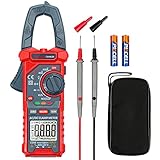
AstroAI Digital Clamp Meter Multimeter 4000 Counts Auto-ranging Amp Tester Measuring AC/DC Voltage & Current, Resistance, Capacitance, Frequency, Continuity, Live Wire Test, NCV Detection, Blue

AstroAI Inrush Digital Clamp Meter Multimeter 1000A TRMS 6000 Counts, Amp Voltage Tester with VFD, LOZ Mode; Measures AC/DC Current Voltage Temperature Resistance Capacitance Frequency Continuity NCV
Helpful Replacement Parts and Searches
These searches are useful when you already know what failed and have checked the original label, connector, and measurements.
- Recliner USB charger replacement module – for separate USB ports mounted in the armrest, console, or cup holder.
- Recliner USB switch panel replacement – for side controls with built-in USB charging.
- Power recliner power supply replacement – for weak or failed transformer issues.
- Power recliner control box replacement – for multi-function electrical failures.
- Recliner extension cable 2-pin – for damaged low-voltage cable runs.
- Electrical contact cleaner – for dirty connectors, used carefully and only after unplugging power.
How to Prevent Recliner USB Port Failure
- Do not yank charging cables: Pull from the plug, not the cord.
- Avoid heavy side pressure: A cable sticking out sideways can loosen the USB socket over time.
- Keep drinks away: Spills are a major cause of USB and switch-panel failure.
- Use short charging cables: Long cables are easier to snag on legs, pets, blankets, or the mechanism.
- Do not force the plug: If the cable does not fit easily, check the port orientation and debris first.
- Vacuum around the armrest: Dust and crumbs can collect inside exposed charging ports.
- Use a surge protector: Protect the transformer, switch panel, and control box from voltage spikes.
- Keep wiring away from moving parts: Secure loose cables underneath the chair without pulling them tight.
- Stop using damaged ports: Heat, sparks, burning smell, or discoloration means the port should not be used.
Frequently Asked Questions
Can I replace just the USB port on my recliner?
Sometimes. If the USB charger is a separate snap-in or screw-in module, it may be replaceable by itself. If it is built into the switch panel, you may need to replace the whole panel.
Why does my recliner still move but the USB port does not work?
The motor circuit and USB charging circuit may be separate. The recliner can move normally while the USB module, accessory cable, or USB section of the switch panel has failed.
Why does the USB port work but the recliner buttons do not?
The USB charger may receive power separately from the movement controls. A bad switch circuit, control-box input, or handset cable can stop reclining movement even when the USB port still charges.
Can a weak power supply cause the USB port to stop working?
Yes. A weak transformer or loose low-voltage connector can cause unstable USB charging, flickering, slow charging, or repeated disconnects.
Is a recliner USB switch panel universal?
No. Panels that look similar may use different connectors, button layouts, voltage ratings, and control-box wiring. Match the original part carefully.
Can I add USB-C if my recliner only has USB-A?
Sometimes, but only if the replacement module fits the cutout and matches the recliner’s power source. USB-C modules may need different voltage or current support.
Why does my phone say slow charging from the recliner?
Many recliner USB ports provide lower output than modern fast chargers. The cable, device, port rating, or power module may also limit charging speed.
Should I use a fast-charging adapter inside the recliner?
Only use components that match the recliner’s wiring, voltage, current rating, and mounting design. Improvised adapters can overheat or damage the chair’s electrical system.
What should I do if the USB port gets hot?
Stop using it immediately, unplug the recliner, and inspect the port, wiring, and power module. Heat can indicate a short, damaged socket, overload, or failing electronics.
Can I clean a recliner USB port?
Yes, but unplug the recliner first. Use compressed air or a plastic pick gently. Do not scrape contacts with metal tools or spray liquid directly into the port.
How do I know which replacement USB panel to buy?
Remove the old panel carefully and compare the part number, cutout size, screw spacing, connector, wire length, button layout, USB type, and voltage rating.
Do I need a technician to replace a recliner USB port?
If it is a simple plug-in module, many owners can replace it with basic tools. Call a technician if wiring is burned, the control box is damaged, or the panel controls multiple powered functions you cannot safely test.
Conclusion
A recliner USB port replacement is usually manageable if you diagnose the problem in the right order. Test your cable and device first, inspect the socket, check the wiring, and match the replacement module or switch panel carefully. If the issue is actually the transformer, control box, or wiring harness, replacing the USB port alone will not fix it.
Baridwon Recliner Lever Parts, Handle with Exposed Cable 4.75in, 2 Sets | Recliner mechanism repair kit: release pull handle and cable for sofa, couch, chair; compatible with most furniture
Baridwon 2 Set Recliner Replacement Parts, Durable Recliner Release Pull Handle with Recliner Pull Cable, Repair Replacement Parts Compatible with Most Furniture of Recliner Chair Sofa Couch

ttmagic Metal Recliner Handle Replacement Parts with Cable, Universal Recliner Sofa Chair Couch Release Lever Pull Handle, Fits Ashley and Major Recliner Brands, Exposed Cable Length 4.9“
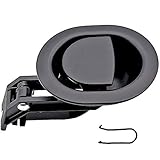
ttmagic Universal Heavy-Duty Metal Sofa Chair Recliner Release Pull Handle Replacement Parts, Fits Ashley, Lazy Boy and Most Recliner Brands, 3.5"L x 3"W x 1.2"H Handle Size
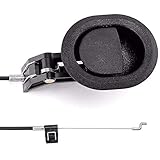
ttmagic Sofa Chair Recliner Release Pull Handle 3" by 3.5" Replacement Parts with Cable, Fits Ashley Lazy Boy and Most Recliner Brands Couch Sofa Chair Furniture, Exposed Cable Length 4.9"