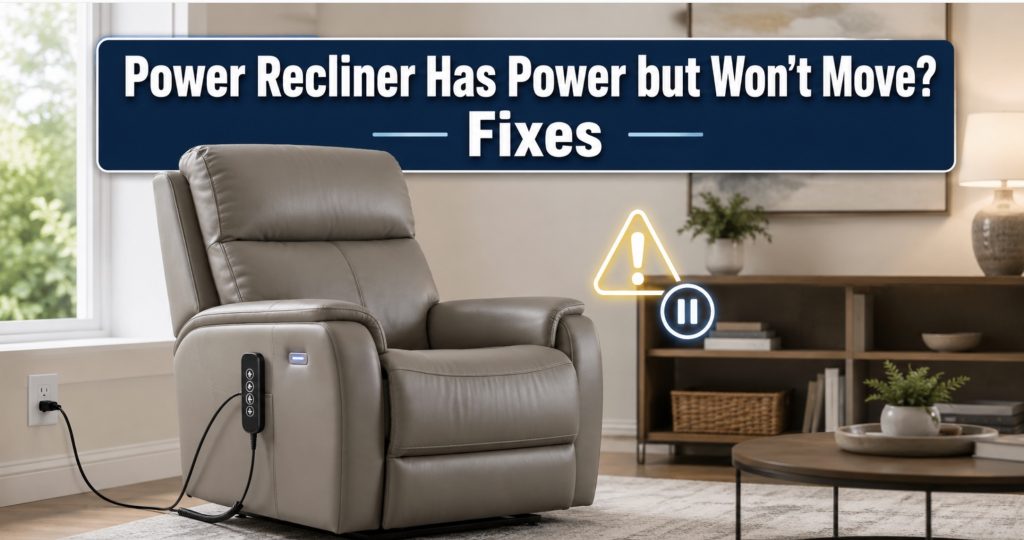
A power recliner that lights up, charges your phone, or clicks when you press the button clearly has some power—but that does not mean every component is receiving enough electricity to move the chair. A loose connector, weak transformer, damaged switch, stalled actuator, failed control box, or jammed mechanism may be responsible.
- What “Has Power but Won’t Move” Actually Means
- Quick Checks Before Taking the Chair Apart
- Diagnose the Problem by Sound and Symptoms
- Reset the Power Recliner
- Check the Transformer and Power Connections
- Test the Remote or Side Switch
- Inspect the Control Box
- Check the Recliner Motor and Actuator
- Look for a Mechanical Jam
- Test the Recliner with a Multimeter
- Troubleshooting by Symptom
- Recommended Tools
- When to Call a Repair Technician
- How to Prevent Future Power Recliner Problems
- Frequently Asked Questions
What “Power Recliner Has Power but Won’t Move” Actually Means
A powered feature can appear alive even when the chair cannot receive enough current to operate its motor. The power-supply LED, USB charger, remote light, heat function, or control-box click may work because these features require less current than the actuator needs under load.
The phrase “has power” can describe several different situations:
- The transformer indicator light is illuminated
- The remote or side-switch buttons light up
- The USB charging port works
- The heat or massage feature operates
- The control box clicks when a button is pressed
- The motor hums but the chair does not move
- One powered function works while another does not
Each symptom points toward a different part of the electrical or mechanical system. Do not automatically replace the motor simply because the chair will not move.
Quick Checks Before Taking the Chair Apart
Start with the easiest possibilities before tipping the chair over or removing components.
- Remove the occupant: Test the recliner with nobody sitting in it. A weak power supply or struggling actuator may move without a load but stall under body weight.
- Try every function: Test the footrest, backrest, headrest, lumbar support, lift function, heat, massage, Home button, and USB port.
- Check the wall outlet: Plug in a lamp or phone charger to confirm the outlet works properly.
- Check the wall switch: Some outlets are controlled by a nearby wall switch.
- Inspect the power strip: Confirm that it is switched on and has not tripped.
- Push every connector firmly together: Recliner plugs can loosen when the chair moves or is repositioned.
- Look underneath for obstructions: Toys, cables, rugs, upholstery fabric, and other objects can block the mechanism.
- Listen while pressing the controls: Clicking, humming, grinding, or complete silence provides important clues.
- Check for heat or odor: Unplug the recliner immediately if a transformer, control box, connector, or motor smells burned or feels unusually hot.
A bright rechargeable magnetic work light makes it much easier to inspect connectors and labels beneath the chair.
Diagnose the Problem by Sound and Symptoms
The Chair Is Completely Silent
If the transformer light is on but pressing the controls produces no sound, possible causes include:
- A disconnected remote or side-switch cable
- A damaged handset cable
- A failed remote or switch panel
- A loose control-box input connection
- A failed control box
- A broken inline extension cable
- A system that needs to be reset or reinitialized
The Control Box Clicks but Nothing Moves
A clicking control box usually suggests that it is receiving a button command. The fault may be farther downstream.
Possible causes include:
- A loose actuator plug
- A weak transformer that cannot deliver enough current
- A failed control-box output
- A stalled or failed actuator
- A broken motor cable
- A jammed reclining mechanism
The Motor Hums but the Chair Does Not Move
A humming sound normally means electricity is reaching the motor, but the actuator or mechanism cannot complete the movement.
Check for:
- An object trapped in the linkage
- A bent scissor arm or mechanism bracket
- A loose or missing actuator mounting pin
- Stripped internal actuator gears
- An overloaded or worn motor
- A seized pivot joint
- A cracked actuator housing
Stop holding the button if the motor continues humming without movement. Prolonged stalling can overheat the actuator or power supply.
The Chair Moves Only Without Someone Sitting in It
This symptom commonly points toward:
- A weak transformer
- A failing actuator motor
- Excessive friction in the mechanism
- A bent linkage arm
- A chair load above the rated weight capacity
- Low battery voltage on a cordless or battery-backed system
Only One Direction Works
A chair that opens but will not close—or closes but will not open—may have:
- A worn directional button
- A damaged remote circuit
- A broken conductor inside the handset cable
- A failed control-box relay or output
- A damaged motor limit switch
- A mechanical obstruction affecting only one direction
One Powered Feature Works but Another Does Not
If the footrest works but the headrest does not, the main power supply is probably reaching the system. Focus on the failed feature’s:
- Button or remote command
- Control-box port
- Extension cable
- Actuator connector
- Actuator motor
- Mechanical attachment points
How to Reset a Power Recliner
A temporary control fault can sometimes be cleared by completely removing power.
- Return the recliner as close to its normal position as possible without forcing it.
- Unplug the power supply from the wall outlet.
- Disconnect any battery backup or emergency battery pack.
- Unplug the remote or side-switch connector from the control box.
- Wait at least 60–90 seconds.
- Inspect the plugs for bent pins, dust, corrosion, or damage.
- Reconnect the remote, actuator, transformer, and control-box connections firmly.
- Reconnect the battery backup if equipped.
- Restore wall power.
- Test each powered function separately with nobody sitting in the chair.
Some recliners require a model-specific initialization procedure, such as holding the Home button, holding two buttons together, or running the chair through a complete close-and-open cycle. Check the manufacturer’s manual before experimenting with button combinations.
Check the Transformer and Power Connections
The transformer converts household AC power into the low-voltage DC power used by the recliner. Many chairs use 24V, 25V, 28V, or 29V systems, so always read the original label rather than assuming the rating.
Inspect the Transformer
Look for:
- An illuminated indicator LED
- A cracked or damaged housing
- Buzzing or clicking from the power brick
- A burned smell
- Discoloration around the connectors
- An unusually hot casing
- A loose detachable AC cord
An illuminated LED does not prove that the transformer is healthy. It may produce the correct voltage with no load but drop significantly when the motor tries to move.
Inspect the Low-Voltage Connector
Many recliners use a two-pin connector with one round pin and one flat pin. Check for:
- Loose male and female connectors
- Bent contacts
- Corrosion
- Melted plastic
- A missing retaining clip
- A cable pinched by the chair mechanism
When replacing a transformer, match:
- Output voltage
- Minimum amperage
- Connector shape
- Connector polarity
- AC input rating
- Battery-backup compatibility
A compatible 29V two-pin recliner power supply may solve weak or stalled movement, but only after its specifications are compared with the original transformer.

Power Recliner Power Supply, AC/DC Switching Power Supply Transformer 2-pin 29V/24V 2A Adapter with AC Power Cord for Electric Power Recliner Lift Chair

Power Recliner Power Supply,for 29v 2a Recliner Power Supply 2 pin | Universal Power Cord, Compatible with Most Recliner/Lift Chair/Electric Sofa/Recliner Couch

Power Recliner Power Supply, 2-Pin AC/DC Adapter 100-240V, Quality 29V 2A Switching Transformer, Replacement Part for Recliner Couch/Electric Sofa/Lift Chair (Black, 1Pack)
Check the AC Power Cord
Some transformer bricks use a removable figure-eight C7 cord. A damaged or loose AC cord can allow the power light to flicker while failing under load.
Inspect the cord for:
- Loose fit at the transformer
- Cut or crushed insulation
- Bent wall-plug blades
- Heat damage
- Intermittent operation when the cable moves
A replacement figure-eight C7 power cord is inexpensive, but confirm that your transformer actually uses that connector.
Test the Remote or Side Switch
The remote or switch sends low-voltage commands to the control box or actuator. A damaged button can leave the chair powered but unable to move.
Inspect a Wired Hand Control
Check for:
- Buttons that feel stuck, loose, or sunken
- A cracked remote housing
- Liquid damage
- A cable crushed under the chair
- A cable that works only when bent
- Bent connector pins
- A loose locking collar or retaining tab
If the chair responds when the cable is held at a certain angle, an internal wire is likely broken. Replacing the complete handset is normally safer and more reliable than splicing a thin multi-conductor cable.
The guide to finding the correct replacement remote for a recliner chair explains how to compare pin counts, connector shapes, button layouts, and control-box compatibility.
Search for a replacement power recliner remote only after matching the original part number and connector.

2 Button 5 Pin Remote ZK1200-HC Replacement for Lift Chair Power Recliner

CUGLB Lift Chair Remote Replacement, 5 Pin 2 Buttons Straight Power Recliner Remote, Power Recliner Replacement Compatible for Most Lift Chair Brands

Fresayerd Lift Chair Remote Replacement, 5 Pin 2 Lighted Button Hand Control with 6Ft Cord for Power Lift Recliner Chairs Accessories, Recliner Control Replacement Parts
Inspect a Side-Mounted Switch
Side switches are vulnerable to spilled drinks, impact, and repeated button use.
Check whether:
- The switch housing is loose in the armrest
- One button feels different from the others
- The USB port works while movement buttons do not
- The switch cable has been pinched
- The rear connector has pulled partly out
- The panel shows liquid or corrosion damage
Do not assume the switch is good merely because its USB port works. The charger and movement-control circuits may be separate.
Check a Wireless Remote
For a wireless recliner handset:
- Install fresh batteries in the correct direction
- Clean corroded battery contacts
- Move close to the chair receiver
- Repeat the manufacturer’s pairing procedure
- Check whether the receiver module has power
- Temporarily move wireless chargers or other electronics away
Two wireless remotes that look identical may use different pairing protocols and may not be interchangeable.
Inspect the Recliner Control Box
The control box distributes commands and power to the actuators. Multi-motor recliners may have separate ports for the footrest, backrest, headrest, lumbar support, heat, massage, and handset.
Locate and Inspect the Box
The control box is normally mounted underneath the seat or attached to the frame.
Look for:
- Loose input and output connectors
- Cracked sockets
- Burned or melted plastic
- Moisture damage
- Loose mounting hardware
- Cables stretched tightly between ports
- A box hanging where the mechanism can strike it
Reseat the Connections
Before unplugging anything:
- Disconnect wall power and battery backup.
- Photograph every connector and port label.
- Mark similar-looking cables if necessary.
- Release locking tabs instead of pulling on the wires.
- Inspect the plug and socket.
- Reconnect each cable to its original port.
Do not randomly swap connectors between ports. Similar sockets may use different pinouts, voltages, or functions.
Signs the Control Box May Be Faulty
- The transformer output is correct but no actuator receives power
- The box clicks but one output never powers its motor
- Several functions failed at the same time
- A known-good switch and actuator still do not work through the box
- The housing is melted, burned, or water-damaged
- The recliner works intermittently when the box or connector is moved
A replacement control box must match the original model number, voltage, port layout, motor count, handset type, and optional features.

Power Recliner 5 Pin IDENO Junction Control Box Replacement with 6 Wire | Lift Chair Electric Sofa Control Box Replacement

Rendrox MLSK91-A1 11-Button Remote & Control Box Kit for Mulin Motor Systems | Compatible with Catnapper Power Lift Chairs

5 Pin 6 Button Lift Chair Remote Control Replacement with Junction Box | Recliner Hand Control Switch, Power Recliner Parts Compatible with MLSK55-A1, Handset Remote for Recliners Electric Sofas
Check the Recliner Motor and Actuator
Most power recliners use a linear actuator. The internal motor turns gears that extend or retract a shaft connected to the reclining mechanism.
Inspect the Motor Label
Record:
- Manufacturer name
- Actuator model number
- Input voltage
- Maximum current
- Duty-cycle rating
- Stroke length
- Retracted length
- Connector type
Photograph the label before cleaning or removing the actuator.
Inspect the Actuator Cable
Follow the cable from the motor to the control box.
Look for:
- Crushed insulation
- Exposed copper
- Loose connector pins
- A cable pulled tightly during movement
- A plug that has slipped partly out
- Damage caused by pets or moving linkage arms
Inspect the Mounting Points
The actuator is normally secured by clevis pins, bolts, brackets, and retaining clips.
Check for:
- A missing retaining clip
- A pin that has backed out
- A bent actuator bracket
- A cracked plastic motor housing
- A loose frame mount
- A shaft sitting at an unusual angle
- An elongated mounting hole
A motor can run normally while failing to move the chair if its mounting pin or bracket is disconnected.
Signs of Internal Actuator Failure
- Grinding or clicking inside the actuator
- The motor runs but the shaft does not move
- The actuator stops at the same point every time
- The housing becomes hot quickly
- The motor operates intermittently after cooling
- The actuator moves without a load but stalls with someone seated
- The shaft is bent or damaged
A replacement power recliner linear actuator must match more than the voltage. Compare the model number, stroke, retracted length, mounting geometry, connector, and load rating.

3MTR 3MR157-203E Power Recliner Linear Actuator Motor

Kotirini Kaidi KDPT007-113 Linear Actuator Power Recliner Lift Chairs Motor Direct Replacement
Look for a Mechanical Jam
A power recliner can receive full electrical power while remaining unable to move because its metal mechanism is blocked, dry, bent, or disconnected.
Check for Obstructions
Look underneath and around the footrest for:
- Power or remote cables caught in the linkage
- Loose dust-cover fabric
- Blankets or clothing
- Toys or pet items
- Coins and small household objects
- Rug edges
- Overtightened zip ties
- Loose upholstery staples
Compare Both Sides of the Mechanism
The left and right linkage assemblies should generally mirror each other.
Look for:
- One side sitting farther forward
- A bent scissor arm
- A loose crossbar
- A missing washer or pivot clip
- A broken rivet
- Fresh scrape marks
- A bracket rubbing against the frame
Check the Frame
A cracked or shifted frame can distort the mechanism enough to stop powered movement.
Warning signs include:
- Cracking or popping noises
- The seat leaning to one side
- Mechanism bolts pulling out of wood
- A split wooden rail
- The motor bracket separating from the frame
- The mechanism moving independently of the chair frame
Stop using the recliner if the actuator or mechanism is pulling away from the frame.
Check for Dry or Seized Pivots
Dry joints can create enough resistance to overload the motor.
Suitable lubricants include:
- Silicone spray lubricant
- Dry PTFE lubricant
- Light machine oil applied one drop at a time
Apply lubricant sparingly to metal pivot points only. Keep it away from upholstery, electrical connectors, motor housings, control boxes, belts, and friction-locking surfaces.
A silicone lubricant for recliner mechanisms can reduce friction when the joints are merely dry, but it will not repair bent metal or damaged gears.

CRC Heavy Duty Silicone Lubricant Spray - Dry Film, Water Resistant - 11 oz | Dry Film Silicone Spray, Rubber & Nylon Lubrication, Metal & Non-Metal Protection, Water Resistance

B'laster 16-SL Industrial Strength Silicone Lubricant - 11-Ounces | Silicone Lubricants, Lubricants, non-staining, silicone base, spray application, aerosol can container, clear color

B’Laster Silicone Lubricant ProStraw – Non-Staining Silicone Spray for Metal Parts – Long-Lasting Protection, Reduces Friction & Wear – Works on Metal, Rubber & Plastic – 11 oz (Case of 2)
How to Test a Power Recliner with a Multimeter
Only perform electrical testing if you understand DC voltage measurements and can avoid shorting connector pins.
A basic digital multimeter for DC voltage testing can help determine whether power reaches the transformer output, control box, and actuator.
Test the Transformer Output
- Read the expected DC output from the transformer label.
- Set the multimeter to an appropriate DC voltage range.
- Identify the positive and negative contacts safely.
- Measure the output with the transformer disconnected from the chair.
- Compare the reading with the rated voltage.
A correct unloaded voltage does not completely rule out a weak transformer. The voltage may collapse when the motor draws current.
Check for Voltage Drop Under Load
Testing under load can expose a weak transformer, poor connector, or damaged cable, but accessing live connector contacts can be risky. Use manufacturer test procedures, suitable probes, and proper insulation. Stop if the connector cannot be tested without damaging it or risking a short circuit.
Test the Switch or Remote
Depending on the design, a technician may use continuity or voltage tests to confirm whether each button sends the correct signal. Proprietary remotes and digital control systems cannot always be tested with simple continuity checks.
Test the Actuator Feed
If the correct voltage reaches the actuator while the motor remains still, the actuator is a likely suspect. If no voltage reaches it, trace backward toward the control box, remote, wiring, and transformer.

AstroAI Digital Clamp Meter Multimeter 2000 Counts Amp Voltage Tester Auto-ranging with AC/DC Voltage, AC Current, Resistance, Capacitance, Continuity, Live Wire Test, NCV, Blue

Klein Tools CL460S Smart Digital Clamp Meter, | With TRMS, Multimeter, Backlit Display, Amp and Voltage Meter, Great Electrician Tool

AstroAI Inrush Digital Clamp Meter Multimeter 1000A TRMS 6000 Counts, Amp Voltage Tester with VFD, LOZ Mode; Measures AC/DC Current Voltage Temperature Resistance Capacitance Frequency Continuity NCV
Power Recliner Troubleshooting by Symptom
| Symptom | Likely Causes | First Checks |
|---|---|---|
| Transformer light is on, but the chair is silent | Remote, switch cable, control-box input, reset fault | Reset the chair and reseat the handset connector |
| Control box clicks, but there is no movement | Loose motor plug, weak transformer, failed actuator, bad output | Inspect the actuator connection and transformer output |
| Motor hums without moving | Mechanical jam, seized pivot, failed gears, bent linkage | Disconnect power and inspect the mechanism |
| Chair moves only without a person seated | Weak transformer, worn actuator, excess friction, overload | Test the power supply and inspect dry or bent joints |
| USB port works, but the recliner does not move | Failed movement switch, control box, actuator, or low-current supply | Do not treat USB power as proof that the motor circuit works |
| Chair opens but will not close | Close button, remote wire, control-box output, jam, limit switch | Test the close button and listen for motor or relay noise |
| Only the headrest or lumbar function is dead | Individual actuator, cable, switch command, or control-box port | Trace that feature’s cable and inspect its actuator plug |
| Chair works when a cable is moved | Broken internal wire or loose connector | Replace the damaged handset, extension cable, or power lead |
| Movement is crooked or uneven | Bent linkage, loose crossbar, missing clip, cracked frame | Stop operating the chair and compare both sides underneath |
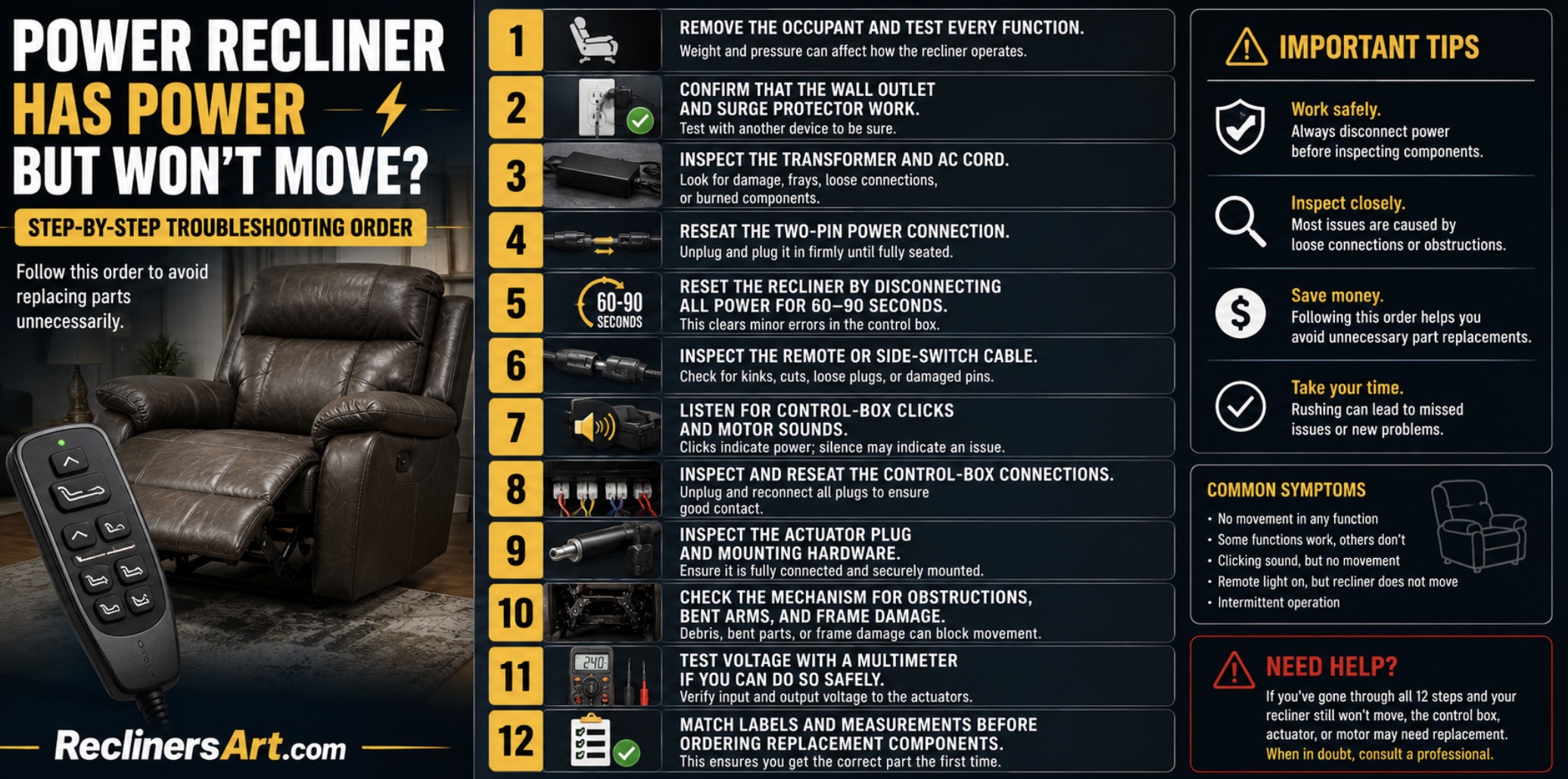
Step-by-Step Troubleshooting Order
Follow this order to avoid replacing parts unnecessarily:
- Remove the occupant and test every function.
- Confirm that the wall outlet and surge protector work.
- Inspect the transformer and AC cord.
- Reseat the two-pin power connection.
- Reset the recliner by disconnecting all power for 60–90 seconds.
- Inspect the remote or side-switch cable.
- Listen for control-box clicks and motor sounds.
- Inspect and reseat the control-box connections.
- Inspect the actuator plug and mounting hardware.
- Check the mechanism for obstructions, bent arms, and frame damage.
- Test voltage with a multimeter if you can do so safely.
- Match labels and measurements before ordering replacement components.
The Recliner Parts & Repairs directory can help you compare common power supplies, motors, controls, cables, and related repair guides.
Before ordering anything, follow the label and measurement process in how to measure recliner parts before you order.
Recommended Tools for Power Recliner Repair
- Phillips and flathead screwdrivers
- Metric and SAE socket set
- Allen or hex key set
- Needle-nose pliers
- Adjustable wrench
- Digital multimeter
- Rechargeable work light
- Digital caliper or tape measure
- Silicone or dry PTFE lubricant
- Zip ties and reusable cable straps
- Electrical contact cleaner suitable for connectors
- Furniture blanket or padded floor mat
- Small labels or masking tape for marking cables
When to Stop and Call a Recliner Repair Technician
Professional repair is the safer choice when:
- The frame is cracked or separating
- The actuator bracket has torn away from the frame
- The mechanism is badly bent or twisted
- Electrical connectors are burned or melted
- The transformer repeatedly overheats
- The chair contains complex lift, memory, heat, massage, or synchronization electronics
- The actuator or mechanism remains under dangerous tension
- You cannot tip and support the chair safely
- Live-voltage testing would require exposed or improvised connections
- The recliner remains covered by a manufacturer or retailer warranty
Before contacting a technician, gather:
- Chair brand and model number
- Serial number
- Purchase date
- Transformer label
- Control-box label
- Actuator label
- Remote or switch model number
- Photos of the connectors and mechanism
- A clear description of sounds and symptoms
How to Prevent Future Power Recliner Problems
- Use a surge protector: Protect the transformer and control electronics from voltage spikes.
- Keep cables clear: Route power, motor, and remote wires away from moving linkage arms.
- Do not pull the chair by its cords: Disconnect and reposition the cables before moving the recliner.
- Vacuum underneath regularly: Dust, pet hair, and debris can collect around motors and mechanisms.
- Check connectors periodically: Push loose low-voltage plugs firmly together.
- Do not overload the chair: Respect the manufacturer’s weight limit.
- Do not sit on the footrest: It is designed to support legs, not full body weight.
- Stop when movement changes: Investigate grinding, clicking, slowing, twisting, or sudden resistance immediately.
- Lubricate dry pivots sparingly: Use an appropriate lubricant every 6–12 months when needed.
- Allow motors to cool: Avoid repeatedly cycling the chair beyond its duty-cycle rating.
- Keep liquids away from controls: Protect remotes, USB panels, switches, and control boxes from spills.
- Secure extra cable length: Use reusable ties without pulling the wiring tight.
Frequently Asked Questions
Why does my power recliner have power but not move?
The transformer may provide enough electricity for lights, USB charging, or control-box clicking but not enough current to operate the motor. Loose connectors, a damaged switch, failed control box, bad actuator, or mechanical jam can produce the same symptom.
Can a transformer light be on even when the power supply is bad?
Yes. The LED may illuminate while the transformer’s voltage drops under motor load. A weak supply may operate low-current accessories but fail when the actuator tries to move the chair.
Why does my recliner click but not move?
The control box may be receiving the command but failing to power the actuator, or the actuator may be disconnected, stalled, damaged, or blocked by the mechanism.
Why does the motor hum without moving the chair?
The actuator may be mechanically stalled, its gears may be stripped, a mounting pin may be disconnected, or the reclining linkage may be jammed or bent.
Why does the USB port work when the recliner does not?
The USB circuit requires much less power than the actuator. A working charger does not prove that the movement switch, control box, transformer, or motor circuit is operating correctly.
Why does my recliner move only when nobody is sitting in it?
A weak transformer, worn actuator, dry mechanism, bent linkage, or excessive load may prevent the motor from moving the chair under body weight.
Can unplugging a power recliner reset it?
Yes. Disconnect the wall power and battery backup for 60–90 seconds, reseat the connectors, and restore power. Some models also require a Home-button or initialization procedure.
How do I know whether the remote or motor is bad?
If pressing the button produces no click or motor sound, inspect the remote and its cable first. If the control box clicks or the motor hums, the fault is more likely in the power supply, control box, actuator, wiring, or mechanism.
Can I test a recliner motor directly with another power supply?
Only use a supply or test lead specifically compatible with the actuator’s voltage, polarity, connector, and current requirements. Applying the wrong power can damage the motor, limit switches, or wiring.
Should I lubricate the actuator shaft?
Do not lubricate the actuator shaft unless the manufacturer specifically instructs you to. Lubricate only approved metal mechanism pivots, keeping spray away from the motor, wiring, upholstery, and control box.
Can a mechanical blockage make an electrical recliner appear broken?
Yes. A toy, cable, fabric flap, bent linkage, seized pivot, or damaged frame can prevent movement even when the transformer, switch, control box, and motor receive power.
Is it safe to keep pressing the button when the motor hums?
No. A stalled motor can overheat and damage the actuator, transformer, control box, or wiring. Release the button and inspect the mechanism.
Do all power recliners use a 29V transformer?
No. Recliners use several voltage and current ratings. Always match the specifications printed on the original transformer and control components.
Can I replace only the actuator motor?
Many recliner actuators are replaced as complete assemblies rather than repaired internally. Match the model number, voltage, stroke, retracted length, connector, mounting points, and load rating.
Is a power recliner worth repairing?
Loose plugs, damaged remotes, weak transformers, broken cables, switches, and many actuators are usually practical to replace. Major frame damage, multiple failed electronics, or unavailable proprietary parts may make replacement less economical.
Conclusion
A power recliner that has power but will not move usually has a weak transformer, loose connection, damaged control, failed control box, stalled actuator, or mechanical blockage. Start with the outlet and connectors, reset the chair, listen for clicks or motor sounds, and inspect the mechanism. Match every label, plug, measurement, and voltage before ordering replacement parts.

Nonley Recliner Pull Handle - Universal Replacement Parts for Most Major Recliner Couch Sofa Chair Furniture
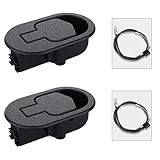
Baridwon 2 Set Recliner Replacement Parts, Durable Recliner Release Pull Handle with Recliner Pull Cable, Repair Replacement Parts Compatible with Most Furniture of Recliner Chair Sofa Couch
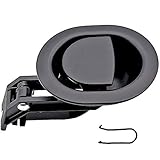
ttmagic Universal Heavy-Duty Metal Sofa Chair Recliner Release Pull Handle Replacement Parts, Fits Ashley, Lazy Boy and Most Recliner Brands, 3.5"L x 3"W x 1.2"H Handle Size

ttmagic Metal Recliner Handle Replacement Parts with Cable, Universal Recliner Sofa Chair Couch Release Lever Pull Handle, Fits Ashley and Major Recliner Brands, Exposed Cable Length 4.9“
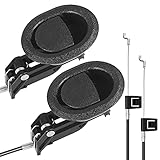
Baridwon Recliner Lever Parts, Handle with Exposed Cable 4.75in, 2 Sets | Recliner mechanism repair kit: release pull handle and cable for sofa, couch, chair; compatible with most furniture