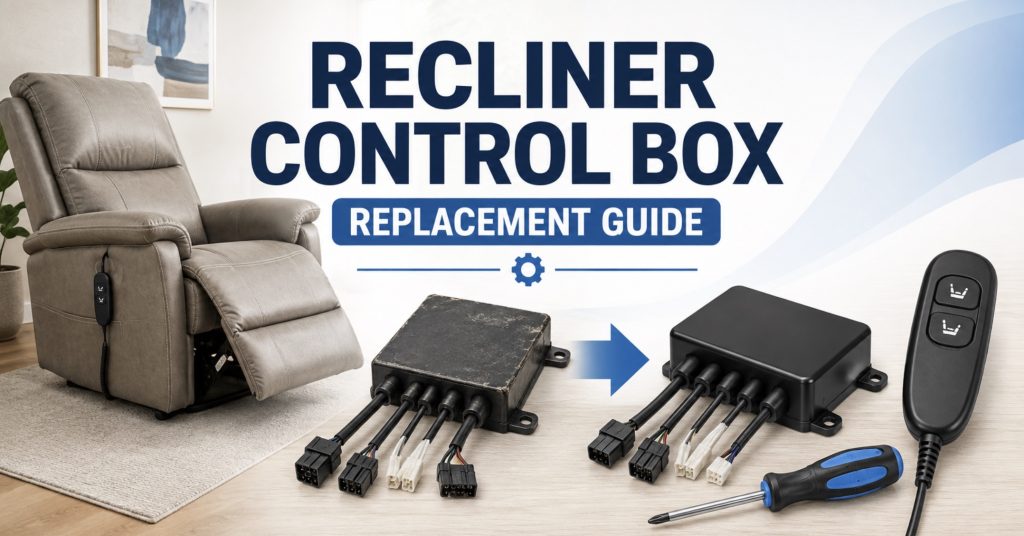
A recliner control box is the small electrical hub that tells your power recliner what to do. When it fails, the chair may click, stop moving, lose USB power, or only work in one direction. This guide walks you through symptoms, testing, replacement, and how to match the correct box.
- What a Recliner Control Box Does
- Signs the Control Box May Be Bad
- Checks to Make Before Replacing It
- How to Diagnose a Control Box Problem
- Types of Recliner Control Boxes
- How to Match the Correct Replacement Control Box
- How to Remove the Old Control Box
- How to Install the New Control Box
- Common Mistakes to Avoid
- Tools You May Need
- Useful Product Searches
- How to Prevent Control Box Failure
- Frequently Asked Questions
What a Recliner Control Box Does
The recliner control box is the command center for many power recliners, lift chairs, theater seats, and massage recliners. It receives power from the transformer, receives commands from the remote or side switch, and sends power to the motor, actuator, headrest, lumbar system, heat pad, massage unit, USB panel, or lights.
Depending on the recliner, the control box may connect to:
- Power supply or transformer
- Battery backup pack
- Hand control remote
- Side switch panel
- Main recline actuator
- Lift chair motor
- Power headrest actuator
- Power lumbar actuator
- Heat and massage modules
- USB charging module
- LED lighting or cup holder controls
- Splitter cables and extension harnesses
On a simple two-button power recliner, the control box may only manage one motor. On a luxury power recliner, sectional, or lift chair, it may control several motors and accessories. That is why matching the exact model, voltage, port layout, and connector style matters.
Signs the Recliner Control Box May Be Bad
A failed control box can look like a bad remote, dead motor, weak power supply, or loose cable. Use the symptoms below to narrow it down before ordering parts.
- Several functions stopped at once: If the footrest, headrest, lumbar, heat, or massage all fail together, the control box may not be distributing power correctly.
- The power supply light is on but nothing moves: Power may be reaching the chair, but the control box may not be sending output to the motors.
- The box clicks but the motor does not move: A relay may be activating, but the output circuit, motor cable, actuator, or power supply may still be failing.
- Only one motor does not work: One output port may have failed, or the individual actuator connected to that port may be bad.
- The chair works intermittently: Movement that cuts in and out when the control box or wiring is touched may indicate a cracked socket or loose internal connection.
- Burned smell or melted plastic: Heat damage around the box, plugs, or wires usually means the recliner should be unplugged immediately.
- Remote lights up but chair does not respond: The remote may be working, but the control box may not be receiving or processing the signal.
- USB or accessory features fail with movement controls: When several low-voltage accessories fail together, the control module or harness may be involved.
- The recliner moves only in one direction: The remote, switch, control-box output, actuator limit switch, or motor wiring may be responsible.
A control box is not always the first part to replace. A loose plug, weak transformer, bad remote, or jammed actuator can create very similar symptoms.
Checks to Make Before Replacing the Control Box
Before buying a replacement control box, check the parts around it first. Many “bad control box” problems are actually caused by loose cables or a failing power supply.
Check the Wall Outlet
Plug in a lamp, phone charger, or small appliance to confirm the outlet works. Some recliners are plugged into outlets controlled by a wall switch.
Check the Surge Protector
If the recliner is connected to a power strip, make sure the strip is turned on and has not tripped. A surge protector is useful, but it can also fail or shut off.
Check the Transformer
Most power recliners use a low-voltage transformer. Many are 29V, but not all. Always check the label on the original power brick.
Look for:
- LED indicator light
- Buzzing sound
- Burned smell
- Loose AC cord
- Loose two-pin output cable
- Cracked housing
- Heat damage near the plug
A power supply can show a light and still fail under load. If the chair clicks but cannot move the motor, a weak transformer is still possible.
A power recliner power supply replacement may be needed if the transformer cannot supply enough current, but match voltage, amperage, polarity, and connector style first.

Power Recliner Power Supply,for 29v 2a Recliner Power Supply 2 pin | Universal Power Cord, Compatible with Most Recliner/Lift Chair/Electric Sofa/Recliner Couch

Power Recliner Power Supply, AC/DC Switching Power Supply Transformer 2-pin 29V/24V 2A Adapter with AC Power Cord for Electric Power Recliner Lift Chair

Power Recliner Power Supply, 2-Pin AC/DC Adapter 100-240V, Quality 29V 2A Switching Transformer, Replacement Part for Recliner Couch/Electric Sofa/Lift Chair (Black, 1Pack)
Check the Remote or Switch Panel
The control box can only respond to the command it receives. If the remote cable is broken, the side switch is damaged, or the connector is loose, the control box may never receive the signal.
Look for:
- Stuck buttons
- Cracked remote housing
- Loose side switch panel
- Damaged USB switch panel
- Bent connector pins
- A cable that works only when bent
- Liquid damage around buttons
The guide on replacement remote control for recliner chair can help you compare button layouts, connector styles, and compatibility before blaming the control box.
Check the Motor or Actuator
If the control box clicks but one actuator does not move, the actuator itself may be jammed or failed. Inspect the motor label, cable, connector, and mounting pins before ordering a control box.
Check the Mechanism
A jammed recliner mechanism can make a good control box look bad. If the motor hums but does not move, stop pressing the button and inspect for a mechanical blockage.
For broader troubleshooting, see Power Recliner Has Power but Won’t Move? Fixes.
How to Diagnose a Recliner Control Box Problem
Step 1: Listen When You Press the Controls
Press each button and listen carefully underneath the chair.
- No sound at all: The remote, switch, transformer, input cable, or control box may not be working.
- Click from the control box: The command may be reaching the box, but output power, actuator wiring, or the motor may be failing.
- Motor hum: The actuator may be powered but stalled by a jam, bent linkage, or internal motor problem.
- Grinding: Internal actuator gears or the reclining mechanism may be damaged.
- Repeated clicking: The system may be trying to move but losing voltage, hitting resistance, or triggering a protection circuit.
Step 2: Test Every Function Separately
A multi-function recliner may have different ports for different features.
Test:
- Main footrest open and close
- Back recline
- Power headrest
- Power lumbar
- Lift function
- Heat
- Massage
- USB charging
- LED lights
- Home or reset button
If only one function fails, focus on that actuator, cable, switch command, and output port. If several functions fail together, the control box, transformer, or main wiring harness becomes more suspicious.
Step 3: Reset the Recliner
A temporary control error can sometimes be cleared with a full power reset.
- Return the recliner as close to its normal position as possible without forcing it.
- Unplug the transformer from the wall outlet.
- Disconnect any battery backup pack.
- Wait at least 60–90 seconds.
- Disconnect and reconnect the remote or switch cable.
- Disconnect and reconnect motor and accessory plugs one at a time.
- Reconnect the battery backup if used.
- Restore wall power.
- Test each function separately.
Some chairs need a manufacturer-specific reset or initialization process. If your remote has a Home button, memory buttons, or several motors, check the owner’s manual before experimenting.
Step 4: Inspect the Control Box Visually
Unplug the recliner first. Then inspect the control box and wiring.
Look for:
- Melted plastic
- Burn marks
- Cracked housing
- Loose mounting screws
- Water damage
- Corrosion around ports
- Broken locking tabs
- Loose or stretched wires
- Ports pulled away from the case
If you see burned connectors, do not keep testing the chair. The cause may be a shorted cable, overloaded actuator, wrong power supply, or internal control-box failure.
Step 5: Reseat Every Connector
Before unplugging anything, take clear photos. Then reconnect each plug firmly.
- Power input plug
- Remote or hand control plug
- Side switch plug
- Main actuator plug
- Headrest actuator plug
- Lumbar actuator plug
- Heat and massage plug
- USB accessory plug
- Battery backup plug
Pull on the connector body, not the wire. Make sure locking tabs click back into place.
Step 6: Check for a Damaged Harness
A wiring harness can fail between the control box and the component it powers.
Check for:
- Pinched wires under the mechanism
- Cables rubbing against scissor arms
- Pet chewing damage
- Broken insulation
- Loose inline connectors
- Corroded plugs
- Overtightened zip ties
A control box replacement will not fix a broken harness unless the damaged wire is repaired or replaced too.
Step 7: Use a Multimeter if You Can Test Safely
A multimeter can help confirm whether voltage is reaching the control box and whether voltage leaves the box when a button is pressed. Only test live circuits if you understand DC voltage testing and can avoid shorting pins.
A digital multimeter for recliner repair can help with careful testing, but do not force probes into tiny connector sockets.

AstroAI Digital Clamp Meter Multimeter 2000 Counts Amp Voltage Tester Auto-ranging with AC/DC Voltage, AC Current, Resistance, Capacitance, Continuity, Live Wire Test, NCV, Blue

Klein Tools CL460S Smart Digital Clamp Meter, | With TRMS, Multimeter, Backlit Display, Amp and Voltage Meter, Great Electrician Tool

AstroAI Inrush Digital Clamp Meter Multimeter 1000A TRMS 6000 Counts, Amp Voltage Tester with VFD, LOZ Mode; Measures AC/DC Current Voltage Temperature Resistance Capacitance Frequency Continuity NCV
Types of Recliner Control Boxes
Single-Motor Control Box
A single-motor control box is usually used on basic power recliners. It may control only the footrest and backrest movement through one actuator.
Common features:
- Power input
- Remote or switch input
- One motor output
- Simple open and close function
- Sometimes battery backup connection
Dual-Motor Control Box
Dual-motor recliners may use one motor for the footrest/back and another for the headrest or lumbar.
Common features:
- Multiple actuator ports
- Separate movement commands
- More complex remote or switch panel
- Different port labels for each motor
Lift Chair Control Box
Lift chairs use control boxes designed to handle lifting, reclining, and safety movements. These may be more brand-specific than basic recliner boxes.
Common features:
- Lift motor support
- Recline motor support
- Handset connection
- Battery backup
- Limit-switch or safety logic
Heat and Massage Control Box
Some recliners use one control module for reclining and another for heat or massage. Others combine everything in one unit.
Common features:
- Massage motor ports
- Heat pad output
- Timer control
- Mode selection
- Separate accessory wiring harness
Theater Recliner Control Box
Theater seats may control USB charging, cup holder lights, base lighting, headrests, lumbar, and multiple seat positions. These boxes can be highly specific to the seat model.
Common features:
- LED output
- USB output
- Cup holder controls
- Power headrest ports
- Memory or Home button support
- Multiple linked seat connections

Power Recliner Emomo HX43T24HR2L-2 Multi Function Heat Massage Junction Box | Lift Chair Electric Sofa Control Box Replacement

Rendrox MLSK91-A1 11-Button Remote & Control Box Kit for Mulin Motor Systems | Compatible with Catnapper Power Lift Chairs

Power Recliner 5 Pin IDENO Junction Control Box Replacement with 6 Wire
How to Match the Correct Replacement Control Box
This is the most important part of the repair. A control box can look almost identical online and still be electrically incompatible.
Details to Record from the Old Box
- Brand name or manufacturer
- Model number
- Part number
- Input voltage
- Output voltage
- Maximum current rating
- Number of ports
- Port labels
- Connector shapes
- Remote or switch type
- Motor count
- Battery backup compatibility
- Heat, massage, USB, or lighting compatibility
Photos to Take Before Ordering
- Full control box label
- Each side of the box
- Every connector and port
- Remote plug shape
- Motor plug shape
- Transformer plug shape
- Wiring harness route
- How the box is mounted under the chair
Connector Matching Details
Compare:
- Round DIN plug vs flat connector
- 2-pin, 5-pin, 6-pin, 8-pin, or multi-pin connectors
- Male or female plug ends
- Locking tab position
- Keyway shape
- Wire count
- Cable length
- Port spacing
Do Not Rely on Brand Name Alone
Many recliner brands use parts from the same electrical suppliers, but they do not always use the same wiring layout. A control box listed for one brand may physically plug into another chair but still operate incorrectly.
Before ordering, use the guide on how to measure recliner parts before you order to compare connectors, cable length, labels, and part measurements carefully.
Common Control Box Brands and Labels
You may see labels from suppliers such as Okin, Limoss, Kaidi, Raffel, eMoMo, Dewert, TiMOTION, or brand-specific part numbers. Match the label exactly when possible.
Search examples include a Okin recliner control box, Limoss recliner control box, or power recliner junction box replacement after checking the label on your original part.

vierzweites 5 Pin Lift Chair Prong Hand Control Remote Replace MLSK55-A1

MLSK55-A1 6 Button 5 Pin Prong Power Lift Chair Recliner Hand Controller Remote Kit Fits for Catnapper Mulin Okin Dewert Limoss Kaidi Motor Actuator,with Junction Box & USB Heat and Massag
How to Remove the Old Control Box
Step 1: Unplug Everything Safely
Disconnect the chair from the wall outlet. Remove or disconnect the battery backup if the recliner has one.
Step 2: Tip the Recliner Carefully
Place a furniture blanket on the floor and carefully tip the recliner onto its side or back. Ask for help if the chair is heavy.
Step 3: Locate the Control Box
The control box is usually mounted underneath the seat, near the frame, next to the motor, or beside the power-supply input.
Step 4: Photograph the Wiring
Before unplugging anything, photograph every cable and connector. Make sure the port labels are visible.
Step 5: Label Similar Connectors
Use masking tape to label similar plugs. Write simple labels such as “motor,” “remote,” “power,” “headrest,” “lumbar,” or “battery.”
Step 6: Disconnect the Plugs
Release locking tabs gently and pull on the plug body. Do not pull on the wires.
Step 7: Remove the Control Box
The box may be attached with screws, clips, Velcro, zip ties, or a bracket. Remove it carefully without damaging nearby wires.
Step 8: Inspect the Old Box and Cables
Check whether the problem may have come from a burned connector, crushed wire, wrong power supply, or moisture exposure. Replace damaged cables before connecting the new box.
How to Install the New Control Box
Step 1: Compare the Old and New Boxes
Before plugging anything in, compare every label, port, connector, and rating.
Check:
- Model number
- Input voltage
- Port count
- Port labels
- Connector shape
- Motor compatibility
- Remote compatibility
- Battery backup connection
- Heat, massage, USB, or light support
Step 2: Mount the Box Securely
Attach the new box where the old one was mounted. Keep it away from moving mechanisms, sharp metal edges, heat sources, and places where the frame can crush it.
Step 3: Connect the Power Input
Connect the transformer output to the correct power input port. Do not plug the power supply into a motor or accessory port.
Step 4: Connect the Remote or Switch
Plug the hand control, side switch, or button panel into the matching control input port.
Step 5: Connect the Motor Outputs
Reconnect each actuator to its correct labeled output.
Examples:
- Main recline motor
- Lift motor
- Headrest motor
- Lumbar motor
- Footrest actuator
Step 6: Connect Accessories
Reconnect heat, massage, USB, LED lights, or cup holder controls only to the correct accessory ports.
Step 7: Secure the Cables
Use cable clips or loose zip ties to keep wiring away from scissor arms, actuator shafts, swivel bases, springs, and pinch points. Leave enough slack for the recliner to move normally.
Step 8: Test Without Sitting in the Chair
Restore power and test each function with no one sitting in the recliner.
Test:
- Open movement
- Close movement
- Headrest movement
- Lumbar movement
- Lift function
- Heat
- Massage
- USB charging
- Home button
- LED lights
Step 9: Test Under Normal Use
If everything works with no load, sit gently and test again. Stop immediately if the motor hums without movement, the control box clicks repeatedly, or wires pull tight.
Step 10: Recheck After a Few Days
After several uses, inspect the control box and wiring again. Make sure plugs remain seated and cables are not rubbing against moving parts.

Lift Chair Raffel Systems 2802 Junction Box Model FR-Lift Replacement | Power Recliner Electric Sofa Junction Box Replacement
Power Recliner Emomo HX43T24HR2L-2 Multi Function Heat Massage Junction Box | Lift Chair Electric Sofa Control Box Replacement
Power Recliner 5 Pin IDENO Junction Control Box Replacement with 6 Wire
Common Mistakes to Avoid
- Buying by appearance only: Similar-looking boxes may have different internal wiring.
- Ignoring voltage ratings: Wrong voltage can damage motors, remotes, or accessories.
- Swapping connectors randomly: Ports are not automatically interchangeable.
- Skipping photos: Without photos, it is easy to forget where each cable belongs.
- Forcing plugs: If a connector does not fit easily, it may be the wrong port or wrong part.
- Leaving wires loose: Unsecured wires can get pinched by the reclining mechanism.
- Replacing the box before checking the transformer: Weak power supplies often mimic control-box failure.
- Replacing the box before checking the remote: A dead handset or switch panel may be the real problem.
- Ignoring burned connectors: A new box may fail quickly if a shorted cable caused the first failure.
Tools You May Need
- Phillips screwdriver
- Flathead screwdriver
- Socket wrench set
- Allen or hex key set
- Needle-nose pliers
- Digital multimeter
- Rechargeable work light
- Electrical contact cleaner
- Masking tape for labeling wires
- Zip ties or cable clips
- Digital caliper or tape measure
- Furniture blanket or padded mat
- Small container for screws and clips
A recliner repair tool kit can be useful if you plan to replace control boxes, switches, remotes, power supplies, cables, and other power recliner parts yourself.
Useful Product Searches
These searches are helpful after you have checked the original label and connector style.
- Power recliner control box replacement – broad search for control modules used under power recliners and lift chairs.
- Okin recliner control box – useful if your original label shows Okin branding or compatible part numbers.
- Limoss recliner control box – useful for recliners with Limoss-labeled motors, handsets, or control modules.
- Power recliner junction box replacement – helpful for multi-wire junction/control boxes.
- Lift chair control box replacement – for power lift recliners with lifting and reclining functions.
- Power recliner remote and control box – useful when a matched remote/control box kit is needed.
The Recliner Parts & Repairs hub can help you compare related replacement parts such as motors, actuators, power supplies, remotes, switch panels, and wiring harnesses.
Rendrox MLSK91-A1 11-Button Remote & Control Box Kit for Mulin Motor Systems | Compatible with Catnapper Power Lift Chairs

loosoo MLSK55 6 Button 8 Pin Prong Lift Chair Remote Controller Hand Control Handset w/Junction Box & USB Heat and Massage Fit for Catnapper Mulin Okin Dewert Limoss Kaidi, Replace MLSK55-A1/A4

Power Recliner Lift Chair Emomo E032D2HL Heat Massage Junction Control Box
How to Prevent Control Box Failure
- Use a surge protector: Protect the transformer and control electronics from voltage spikes.
- Keep wires away from moving parts: Route cables away from scissor arms, springs, swivel bases, and actuator shafts.
- Do not overload the recliner: Excess strain can increase current draw and stress the control system.
- Keep liquids away: Spills around side switches, remotes, cup holders, and USB panels can reach wiring.
- Do not keep pressing a stalled motor: Repeated button presses during a jam can overheat electrical parts.
- Inspect connectors regularly: Loose plugs create heat and intermittent operation.
- Keep the underside clean: Dust, pet hair, and debris can collect around wiring and moving mechanisms.
- Secure extra cable length: Use loose cable ties or clips without pulling wires tight.
- Replace damaged power supplies: A weak or incorrect transformer can damage downstream components.
- Stop using burned connectors: Melted or discolored plugs need inspection before more parts are damaged.
Frequently Asked Questions
What does a recliner control box do?
It receives power from the transformer, receives commands from the remote or switch, and sends power to the motor, actuator, headrest, lumbar, heat, massage, USB, or lighting modules.
How do I know if my recliner control box is bad?
Common signs include several functions failing at once, clicking with no movement, intermittent operation when wires are moved, no output to a motor, burned connectors, or a melted control-box housing.
Can a recliner have power but still have a bad control box?
Yes. The transformer light, USB charger, or remote light may work while the control box fails to send power to the actuator or accessories.
Why does my control box click but the recliner does not move?
The box may be receiving the command, but the output circuit, actuator cable, power supply, motor, or mechanism may still be failing.
Can a weak power supply look like a bad control box?
Yes. A weak transformer may provide enough power for lights or clicking but not enough current to move the actuator under load.
Are recliner control boxes universal?
No. Control boxes vary by voltage, port layout, connector type, motor count, remote compatibility, and accessory support. Match the original label and plug layout carefully.
Can I replace a control box myself?
Yes, many owners can replace a plug-in control box with basic tools if they photograph the wiring, match the part correctly, and keep cables away from moving mechanisms.
Should I replace the remote and control box together?
Only if they are sold as a matched kit or both are confirmed faulty. A good remote may not work with the wrong replacement control box.
Can I use an Okin control box on any power recliner?
No. Even if your chair uses an Okin actuator, the exact model number, wiring layout, voltage, and remote compatibility still need to match.
What happens if I plug cables into the wrong control-box ports?
The chair may not work, may move incorrectly, or may damage the control box, motor, switch, transformer, or accessories.
Do I need a multimeter to replace a recliner control box?
Not always. If the part is clearly burned or the exact replacement is available, basic plug-in replacement may be enough. A multimeter helps when diagnosis is uncertain.
Why did my new control box fail quickly?
The original cause may still be present, such as a shorted cable, wrong transformer, jammed actuator, overloaded mechanism, moisture damage, or incorrect wiring.
Can a bad control box stop only one function?
Yes. One output port can fail while other ports still work. However, the actuator, switch command, and cable for that function should also be checked.
Is it worth replacing a recliner control box?
Usually yes if the recliner frame, motor, upholstery, and other electronics are still in good condition. If several major parts have failed, replacement may be less economical.
Conclusion
A recliner control box replacement is mostly about careful diagnosis and exact matching. Check the power supply, remote, switch, actuator, wiring, and mechanism before blaming the box. If the control box is truly bad, match the model number, voltage, port layout, connector style, and features before installing the replacement.
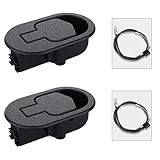
Baridwon 2 Set Recliner Replacement Parts, Durable Recliner Release Pull Handle with Recliner Pull Cable, Repair Replacement Parts Compatible with Most Furniture of Recliner Chair Sofa Couch
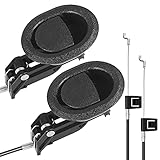
Baridwon Recliner Lever Parts, Handle with Exposed Cable 4.75in, 2 Sets | Recliner mechanism repair kit: release pull handle and cable for sofa, couch, chair; compatible with most furniture

Nonley Recliner Pull Handle - Universal Replacement Parts for Most Major Recliner Couch Sofa Chair Furniture
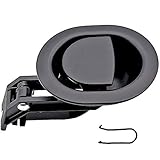
ttmagic Universal Heavy-Duty Metal Sofa Chair Recliner Release Pull Handle Replacement Parts, Fits Ashley, Lazy Boy and Most Recliner Brands, 3.5"L x 3"W x 1.2"H Handle Size

ttmagic Metal Recliner Handle Replacement Parts with Cable, Universal Recliner Sofa Chair Couch Release Lever Pull Handle, Fits Ashley and Major Recliner Brands, Exposed Cable Length 4.9“