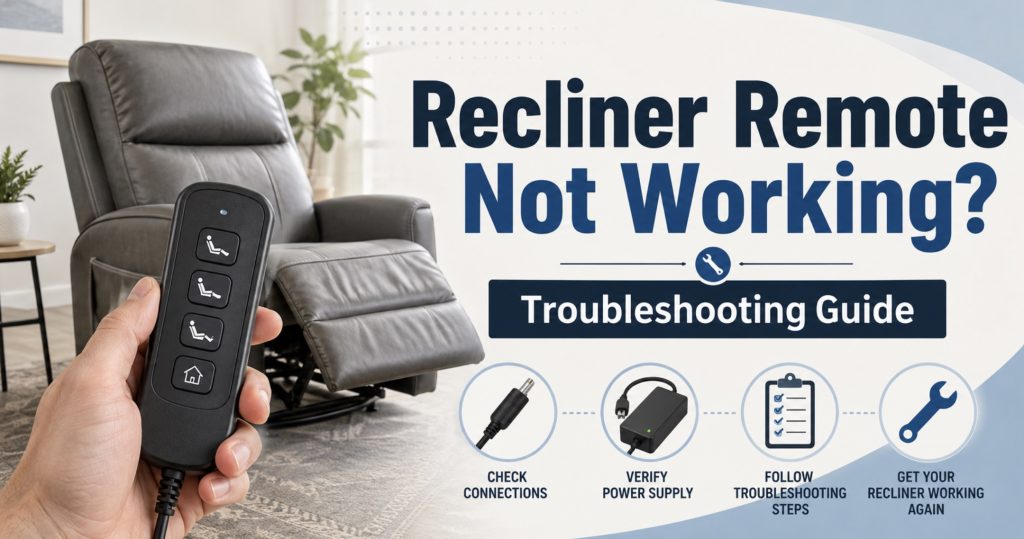
A recliner remote that suddenly stops working can make a perfectly good chair feel completely dead. The problem may be the handset, but it could also be a loose connector, damaged cable, failed transformer, control-box fault, or stalled motor. This guide helps you test each possibility in the right order before ordering replacement parts.
- Common Recliner Remote Failure Symptoms
- Safety Before Troubleshooting
- Check the Wall Outlet and Power Supply
- Inspect the Remote and Cable
- Reconnect and Reset the Recliner
- Test Individual Buttons and Functions
- Check the Control Box and Motor
- Troubleshoot Wireless Recliner Remotes
- How to Choose a Replacement Remote
- Quick Shopping Links
- FAQ
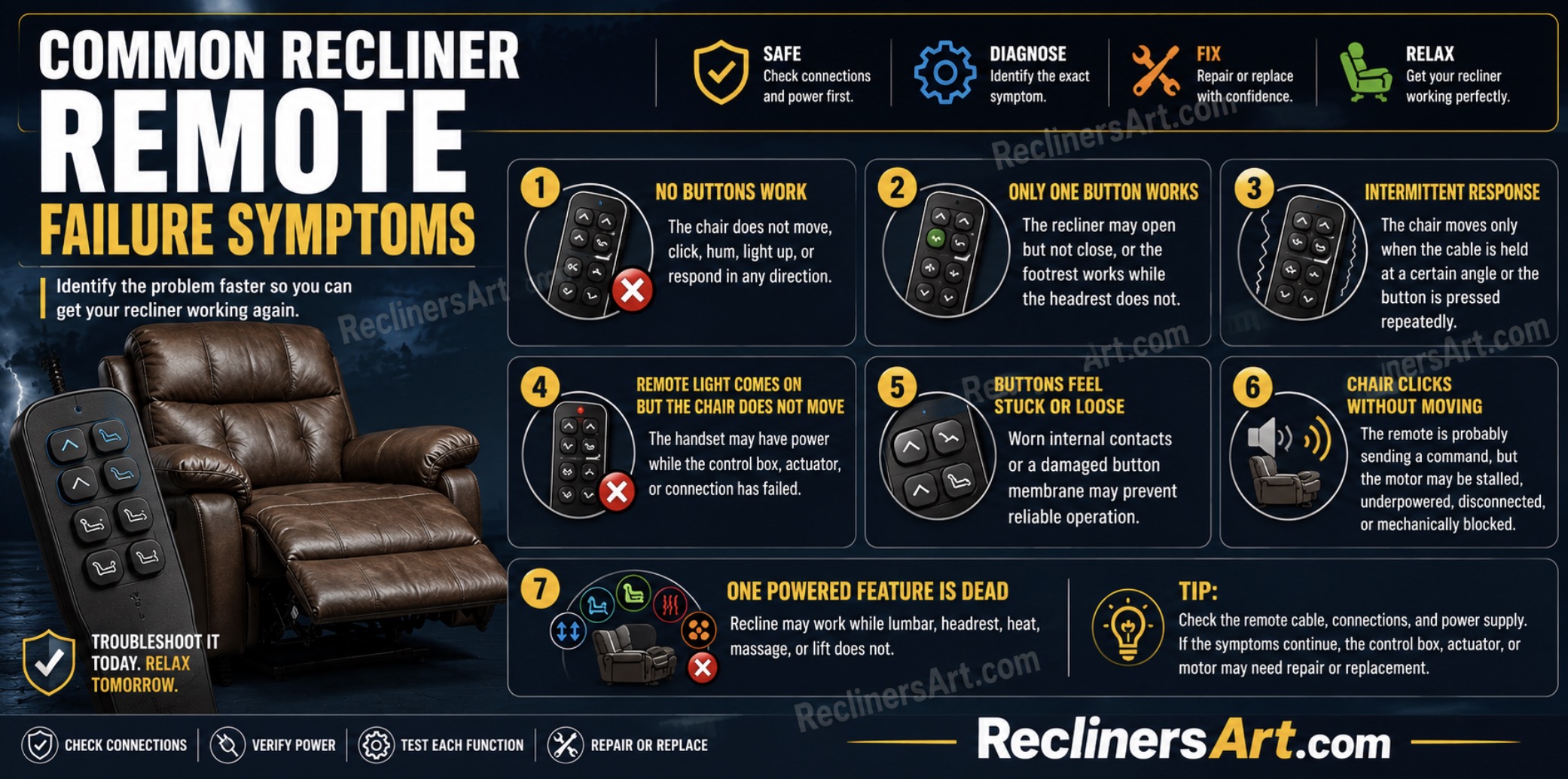
Common Recliner Remote Failure Symptoms
- No buttons work: The chair does not move, click, hum, light up, or respond in any direction.
- Only one button works: The recliner may open but not close, or the footrest works while the headrest does not.
- Intermittent response: The chair moves only when the cable is held at a certain angle or the button is pressed repeatedly.
- Remote light comes on but the chair does not move: The handset may have power while the control box, actuator, or connection has failed.
- Buttons feel stuck or loose: Worn internal contacts or a damaged button membrane may prevent reliable operation.
- Chair clicks without moving: The remote is probably sending a command, but the motor may be stalled, underpowered, disconnected, or mechanically blocked.
- One powered feature is dead: Recline may work while lumbar, headrest, heat, massage, or lift does not.
Before buying anything, identify whether the problem affects every function or only one. A completely dead chair usually points toward power delivery, while one dead function more often points toward the handset, switch, control box, or individual actuator.
Safety Before Troubleshooting
- Unplug the chair first: Disconnect it from the wall before touching connectors, cables, control boxes, or motors underneath.
- Disconnect battery backup: Some recliners remain powered after unplugging because they have an emergency battery pack.
- Keep hands out of the mechanism: Scissor arms, springs, and actuator brackets can move suddenly when power is restored.
- Use a helper: Recliners are heavy and awkward to tip. Ask someone to stabilize the chair while you inspect underneath.
- Do not test damaged wiring: Stop if you find melted insulation, exposed copper, burned connectors, or a hot transformer.
A rechargeable work light makes it much easier to inspect labels, connectors, and cable damage under the seat.
Check the Wall Outlet and Power Supply
Goal: Confirm that electrical power is actually reaching the recliner before blaming the remote.
- Test the outlet: Plug in a lamp or phone charger to confirm the wall outlet works.
- Check wall switches: Some living-room outlets are controlled by a wall switch that may have been turned off accidentally.
- Inspect the surge protector: Confirm its power light is on and its reset button has not tripped.
- Check the transformer light: Many recliner power supplies have a small LED. A dark LED can indicate no input power, a failed supply, or a short downstream.
- Reseat the AC cord: If the transformer uses a removable figure-eight cord, push it firmly into the power brick.
- Reseat the low-voltage plug: The two-pin connection between the transformer and recliner can loosen when the chair is moved.
- Inspect for heat or odor: A transformer that smells burned, buzzes loudly, or becomes unusually hot should be replaced.
Many power recliners use a 29V transformer, but you should always read the original label instead of assuming. Match the voltage, polarity, amperage, and connector style when comparing a replacement recliner power supply.
If no functions work at all, the broader Recliner Parts & Repairs guide can help you distinguish a remote problem from a control-box or power-supply failure.

Power Recliner Power Supply, Sopito 2-Pin AC/DC Adapter 100-240V 50/60hz | DC 29V 2A Switching Transformer, Compatible with Most Recliner/Lift Chair/Electric Sofa/Standing Desk, with 4ft Power Cord

Power Recliner Power Supply, AC/DC Switching Power Supply Transformer 2-pin 29V/24V 2A Adapter with AC Power Cord for Electric Power Recliner Lift Chair

SAYSOLAK 29V 2A Recliner Power Supply, 8.6Ft Electric Recliner Power Cord | 2-Pin AC/DC Adapter/ Switching Transformer for Lazy Boy, Okin, Limoss Standing Desk, Lift Chair, Sofa, Couch, Adjustable Bed
Inspect the Recliner Remote and Cable
Goal: Find visible handset damage before opening or replacing anything.
- Inspect the full cable length: Look for crushed, cut, stretched, pinched, or chewed sections.
- Check where the cable exits the remote: This is a common break point because the wire bends repeatedly during use.
- Check underneath the chair: Make sure the handset cable has not been caught in the reclining mechanism.
- Inspect the plug: Look for bent pins, corrosion, a cracked locking tab, or a loose outer sleeve.
- Press every button: Note whether any button feels sticky, sunken, unusually loose, or different from the others.
- Look for liquid damage: Spills can enter around buttons and damage the internal circuit board or contacts.
- Check the housing: A remote that has been dropped may have internal damage even when the casing only looks slightly cracked.
If the chair responds when the cable is bent or held in a certain position, the internal wire is probably broken or partially separated. Replacing the entire handset is usually more reliable than trying to splice a thin multi-wire cable.
Reconnect and Reset the Recliner
Goal: Clear temporary faults and restore a loose handset connection.
- Unplug the recliner: Disconnect wall power and any battery backup.
- Wait 60–90 seconds: This allows the control box and power supply to discharge fully.
- Find the handset connection: Follow the remote cable underneath the chair until it reaches the control box or extension lead.
- Photograph the connection: Take a clear picture showing port location, plug direction, and locking tabs.
- Disconnect carefully: Release locking clips first. Pull round DIN plugs straight rather than twisting the pins.
- Inspect both sides: Check the remote plug and control-box socket for bent pins, dust, or damage.
- Reconnect firmly: Push the connector in fully and secure any locking clip or retaining collar.
- Restore power: Reconnect the transformer, then test each button separately.
Some recliners reset through a specific button combination, a long press on the Home button, or a full close-and-open cycle. Check the chair manual if basic unplugging does not restore operation.
Test Individual Buttons and Functions
Goal: Work out whether the problem follows one button, one motor, or the entire remote.
- Test recline open and close: If only one direction fails, the button contact, switch circuit, or control-box output may be damaged.
- Test headrest separately: A working footrest with a dead headrest may indicate a headrest button, port, cable, or actuator issue.
- Test lumbar separately: Listen for motor sound and watch for even small movement.
- Test Home or Reset: If the Home button works but individual controls do not, the handset may have a button-circuit fault.
- Test heat and massage: These accessories may use separate modules even when controlled from the same handset.
- Watch remote indicators: A light that activates on some buttons but not others suggests worn button contacts.
A remote that works in one direction but not the other is not automatically proof that the remote is bad. The control box may receive the command but fail to energize the motor in that direction.
Check the Control Box and Motor
Goal: Determine whether the remote is sending commands to another failed component.
- Listen for clicking: A control-box click usually means it received the remote command.
- Listen for motor hum: A humming motor that cannot move may be jammed, overloaded, weak, or mechanically blocked.
- Check actuator connectors: Follow each motor cable back to the control box and reseat the plugs.
- Inspect unused ports carefully: Do not move plugs randomly between ports unless the control-box markings or manual confirm compatibility.
- Check extension cables: An inline cable between the remote and control box can fail even when both main components are good.
- Look for damaged sockets: A loose control-box port can create intermittent operation whenever the chair moves.
- Check for mechanical obstruction: A remote cannot overcome a toy, cable, bent arm, or fabric caught in the mechanism.
If the recliner is stuck open while you diagnose the controls, see how to manually recline an electric recliner before trying to force the footrest shut.
A digital multimeter can help test transformer output, but only use one if you understand DC voltage testing and can identify the correct terminals safely.
Troubleshoot Wireless Recliner Remotes
Some newer recliners use wireless remotes instead of permanently attached handsets.
- Replace the batteries: Install fresh batteries in the correct direction even if the remote light still comes on.
- Clean the battery contacts: Remove corrosion carefully and make sure the contacts press firmly against the batteries.
- Move closer to the chair: Test from directly beside the control module to rule out range or interference.
- Re-pair the remote: Follow the manufacturer’s pairing sequence, which may involve holding buttons while powering the chair.
- Check the receiver: A working wireless remote cannot operate the chair if the receiver module has lost power or failed.
- Remove nearby interference: Temporarily move wireless chargers, routers, and other electronic devices away during pairing.
Do not assume that two wireless recliner remotes are interchangeable. The housing and buttons may look identical while using different receiver protocols.
How to Choose the Correct Replacement Recliner Remote
The best replacement remote is the one that matches the original electrically and functionally—not just visually.
- Find the model number: Check the rear of the handset, cable tag, or internal label if accessible.
- Count the connector pins: Common styles include 2-pin, 5-pin DIN, 6-pin, 8-pin, RJ-style, and proprietary plugs.
- Match plug orientation: Compare pin arrangement, keyway position, locking collar, and socket shape.
- Match the number of buttons: Up/down, headrest, lumbar, heat, massage, USB, Home, memory, and lift functions all matter.
- Match control-box compatibility: A remote can physically plug in and still use the wrong wiring layout.
- Check cable length: The replacement cord should reach comfortably without pulling when the chair moves.
- Compare button symbols: Similar-looking remotes may control different motor combinations.
- Choose return-friendly listings: Universal compatibility claims are not always complete.
The detailed guide on finding the correct replacement remote for a recliner chair covers connector styles, compatibility checks, and replacement steps in more depth.
Before ordering, use the measurements and label-matching process in how to measure recliner parts before you order.
Useful searches include a power recliner remote replacement, 5-pin recliner remote, or 8-pin recliner remote after confirming the original specifications.

CUGLB Lift Chair Remote Replacement, 5 Pin 2 Buttons Straight Power Recliner Remote, Power Recliner Replacement Compatible for Most Lift Chair Brands

Fruhdi 4 Button 5 Pin Prong Hand Control Handset Remote with USB and Backlight for Lift Chairs Electric Sofa Power Recliners

ZKAD-5 5 Pin Lift Chair Remote Only Fit for 2 Motors Golden and Ultra Comfort Chairs with 11 Button(Include SIT or Home, Not Twilight) Remote, Recliner Hand Control Part 5-Years Free Replacement
Common Diagnosis Patterns
- Nothing works and transformer light is off: Check outlet, AC cord, transformer, and downstream short.
- Nothing works but transformer light is on: Check low-voltage cable, control-box input, remote connection, and battery backup.
- Remote light works but no chair response: Check handset connector, control box, receiver, and motor connections.
- Chair clicks but does not move: Check power-supply strength, actuator, obstruction, and mechanism binding.
- Only one direction fails: Check remote button contacts, control-box output, and motor wiring.
- Only one accessory fails: Check that feature’s button, actuator, cable, and control-box port.
- Chair works when cable is moved: Replace the remote or damaged inline cable.
- Wireless remote stopped after battery change: Check polarity and repeat the pairing procedure.
- Power recliner replacement remotes – compare button functions, plug type, and pin layout.
- 5-pin recliner remotes – common on basic up/down power recliners.
- Remote extension cables – useful when the handset is good but an inline cable is damaged.
- 29V recliner power supplies – check the original voltage, amperage, polarity, and connector first.
- Recliner control boxes – only buy after matching every port and model number.
- Digital multimeters – for experienced users testing DC power output.
When to Replace the Remote
- The handset cable has visible cuts, exposed wire, or intermittent internal breaks.
- Buttons are physically broken, stuck, or no longer click normally.
- The remote suffered liquid damage.
- A matching known-good remote operates the chair correctly.
- The control box receives power but does not react to the original handset.
- The wireless remote cannot pair after new batteries and correct reset steps.
When the Remote Is Probably Not the Problem
- The transformer has no output or indicator light.
- The control box has burned, melted, or loose sockets.
- The motor hums but cannot move the mechanism.
- The chair clicks and twists because the linkage is physically jammed.
- Multiple remotes produce the same failure.
- The recliner works only after moving or tapping the power-supply cable.
FAQ: Recliner Remote Not Working
Why did my recliner remote suddenly stop working?
The most common causes are a loose plug, damaged cable, failed transformer, worn button contact, disconnected control box, or pinched wire underneath the chair.
Can I use any 5-pin remote on my recliner?
No. A matching 5-pin connector does not guarantee the same wiring layout or button functions. Compare the original model number and control-box compatibility.
Why does my remote light up but the recliner does not move?
The remote may have power while the command is not reaching the control box, or the control box, motor, power supply, or mechanism may have failed.
Why does the chair move only when I bend the remote cable?
That strongly suggests a broken internal conductor near the remote housing, plug, or a damaged section of the cable.
Can a weak power supply make the remote seem broken?
Yes. The remote may light up or trigger clicking while the transformer cannot supply enough current to move the actuator under load.
Should I repair or replace a damaged recliner remote?
Replacement is usually safer and more reliable than opening and soldering a multi-wire handset, especially when a compatible remote is readily available.
How do I reset a recliner remote?
Start by unplugging the chair and battery backup for 60–90 seconds, reconnecting the handset firmly, restoring power, and checking the manual for a model-specific pairing or Home-button reset sequence.
Conclusion
When a recliner remote stops working, do not order a new handset immediately. Confirm the outlet and power supply, inspect and reconnect the remote cable, reset the control system, and test each function separately. Once you know the remote is truly the failed part, match its model number, connector, pin layout, buttons, and control-box compatibility before buying a replacement.

Nonley Recliner Pull Handle - Universal Replacement Parts for Most Major Recliner Couch Sofa Chair Furniture
Baridwon 2 Set Recliner Replacement Parts, Durable Recliner Release Pull Handle with Recliner Pull Cable, Repair Replacement Parts Compatible with Most Furniture of Recliner Chair Sofa Couch
ttmagic Universal Heavy-Duty Metal Sofa Chair Recliner Release Pull Handle Replacement Parts, Fits Ashley, Lazy Boy and Most Recliner Brands, 3.5"L x 3"W x 1.2"H Handle Size

ttmagic Metal Recliner Handle Replacement Parts with Cable, Universal Recliner Sofa Chair Couch Release Lever Pull Handle, Fits Ashley and Major Recliner Brands, Exposed Cable Length 4.9“
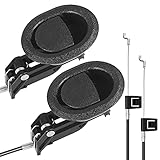
Baridwon Recliner Lever Parts, Handle with Exposed Cable 4.75in, 2 Sets | Recliner mechanism repair kit: release pull handle and cable for sofa, couch, chair; compatible with most furniture