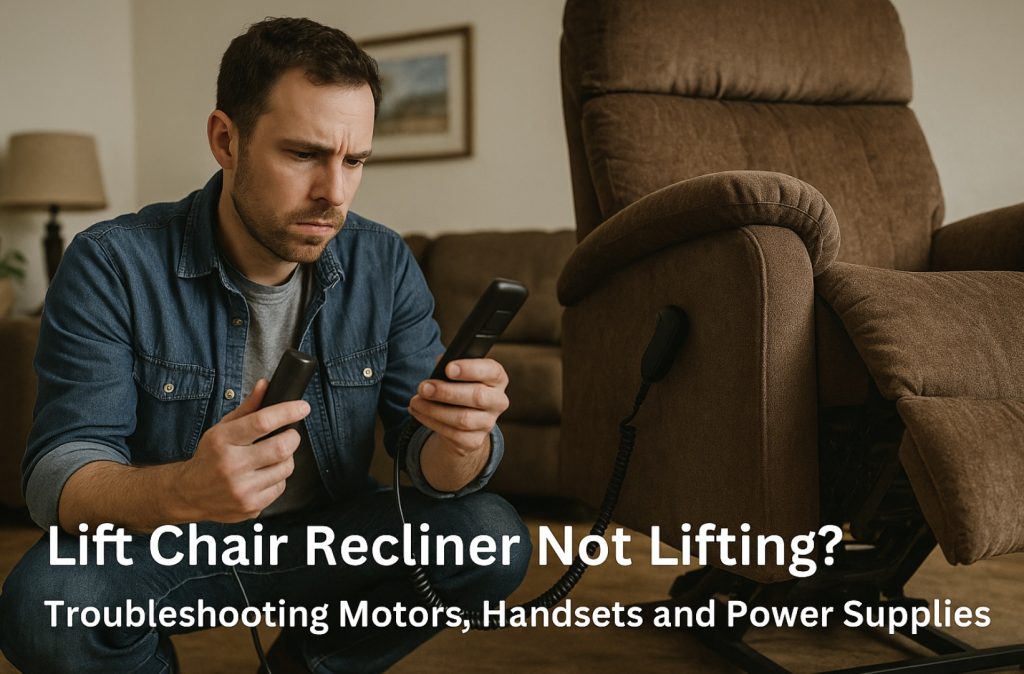
A lift chair that suddenly refuses to lift is more than an inconvenience—if you rely on it to stand safely, it’s a big deal. The good news: many issues come down to a tired power supply, a cranky handset, or a single bad cable. This guide walks you through the most common lift-chair specific failure points before you call a tech.
- Common Lift Chair Symptoms
- Safety & Setup
- How Lift Chair Power Systems Work
- Check 1 – Power Supply, Battery Backup & Outlet
- Check 2 – Handset / Remote Control
- Check 3 – Cables, Connectors & Junction Boxes
- Check 4 – Lift Motors, Actuators & Base
- Check 5 – Safety Sensors, Lockouts & Overload
- Quick Shopping Links
- Quick Parts & Tools
- When to Call a Tech or Manufacturer
- FAQ
Common Lift Chair Symptoms (and What They Usually Mean)
- Chair stuck in one position: Footrest down, back up, or mid-lift with no movement when you press any button—often a power supply, handset, or wiring issue.
- You hear a click or hum but nothing moves: Motor is trying to run but is jammed, overloaded, or weak.
- Lift works in one direction only: For example, it reclines but won’t lift you up—often points to a bad button in the handset or a single failed relay.
- Everything died after a power outage: Surge damage, a tripped breaker in the power brick, or a dead battery backup pack are common.
Safety & Setup
- Unplug before going underneath: For most visual checks, you can leave power connected, but anytime you flip or crawl under the chair, unplug it first.
- Protect the user: If someone relies on the lift to stand, help them to a safe chair or bed before troubleshooting.
- Watch pinch points: Lift chairs have powerful mechanisms. Keep hands clear of scissor arms, hinges, and lift blocks during testing.
- Work with a helper: These chairs are heavy. Have someone steady the frame while you tilt it or move it away from the wall.
If you want a quick visual overview of how different recliner and lift mechanisms are laid out before you start, see our breakdown in Types of Recliner Mechanism.
How Lift Chair Power Systems Work (Lift-Specific Pieces)
Lift chairs share some parts with regular power recliners, but they add extra safety and lift hardware:
- AC wall power or battery pack: Feeds a low-voltage power supply/transformer.
- Power supply brick: Converts AC to low-voltage DC (often 24–29V) for the chair.
- Battery backup: Many lift chairs include a 9V or rechargeable pack for emergency return-to-seat position.
- Handset/remote: Simple up/down paddles or multi-button controls (sometimes with lock features).
- Junction box/control module: The brain that routes power from the transformer to one or more lift actuators.
- Lift actuator(s): Heavy-duty linear motors that raise/lower the base and handle full body weight.
- Safety switches/sensors: Anti-tip switches, limit switches, or overload/thermal protection built into the motor or control box.
Understanding that path—from outlet to power brick, to controller, to actuator(s), back through limit switches—will help the next five checks make sense.
Check 1 – Power Supply, Battery Backup & Outlet
Goal: Confirm good, stable power is actually reaching the chair’s low-voltage system.
- Test the wall outlet: Plug in a lamp or phone charger. If nothing works, check breakers or try a different outlet. A simple outlet tester can confirm proper wiring.
- Inspect the power brick: Most lift-chair transformers have a small LED. Is it solid, off, or flickering? No light on a known-good outlet usually means the brick is bad.
- Bypass the power strip: If you’re plugged into a surge bar, plug the chair directly into the wall as a test; bad strips are more common than people think.
- Check the battery backup: Some chairs use two 9V batteries; others use a removable pack. Dead or corroded batteries can cause weird behavior—replace 9V cells or test with the battery pack completely disconnected.
- Try a compatible replacement supply: Match voltage and connector style when testing with a new transformer (e.g., a 29V 2A lift chair power supply with 2‑pin or 5‑pin plug).
If your brick LED is dead on multiple outlets, or the chair only works when you wiggle the barrel plug, replacing the power supply is often the quickest win.

Power Recliner Power Supply, Sopito 2-Pin AC/DC Adapter 100-240V, Quality 29V 2A Switching Transformer, Replacement Part for Recliner Couch/Electric Sofa/Lift Chair/Standing Desk

Power Recliner Power Supply, AC/DC Switching Power Supply Transformer 2-pin 29V/24V 2A Adapter with AC Power Cord for Electric Power Recliner Lift Chair

Universal Power Recliner Power Supply, 29V 2A 2 Pin AC/DC Switching Power Supply Adapter for Electric Recliner/Couch/Lift Chair/Standing Desk
Check 2 – Handset / Remote Control
Goal: Rule out a failed up/down switch or locked handset.
- Look for lights or icons: Some lift-chair handsets have a backlight or an LED that shows power/lock status. No signs of life while the transformer LED is on can point to a handset issue.
- Inspect the cable: Follow the handset cord from the remote down to the chair. Make sure it isn’t crushed in the mechanism or chewed, and that the plug is fully seated in the control box.
- Test both directions: If “down” (recline) works but “up” (lift) doesn’t, that often means a worn contact in the up switch.
- Check for a lock feature: Some remotes have a key icon or use a button combo to lock out movement. Look for small lock symbols on the handset face.
- Swap handsets if you can: If another identical lift chair or seat is available, temporarily swap remotes. If the problem follows the handset, you’ve found the culprit.
When you’re ready to replace it, match the connector style (often a round 5‑pin plug) and button layout. For more detail on picking the right control, see our full guide to replacement remotes for power recliners.
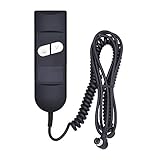
Fromann Recliner Remote Hand Control 2 Button 5 pin for Electric Power Lift Sofa Chair

Fresayerd Lift Chair Remote Replacement, 5 Pin 2 Lighted Button Hand Control with 6Ft Cord for Power Lift Recliner Chairs Accessories, Recliner Control Replacement Parts

CUGLB Lift Chair Remote Replacement, 5 Pin 2 Buttons Straight Power Recliner Remote, Power Recliner Replacement Compatible for Most Lift Chair Brands
Handset-Related Parts
- 2‑button lift chair remotes for simple up/down systems.
- 5‑pin multi‑function remotes for chairs with extra features like heat or massage.
Check 3 – Cables, Connectors & Junction Boxes
Goal: Find loose plugs, damaged cables, or a miswired control box under the chair.
- Unplug and tilt the chair: Lay the lift chair back or on its side on a blanket so you can see underneath without strain.
- Locate the control/junction box: This is where the power supply, handset, and actuator(s) usually plug in. Ports are often labeled (M1, M2, H1, DC IN, etc.).
- Reseat every connector: Unplug and firmly reconnect each cable one at a time. Make sure each is in the correct labeled port.
- Check for damaged insulation: Look for pinched, cut, or chewed wires, especially where cables cross moving linkage. Replace compromised sections with a matching lift chair extension/replacement cable.
- Secure the wiring: Use zip ties and adhesive cable clips to route cables away from scissor arms and lift posts.
A surprising number of lift chairs come back to life simply because a single connector under the seat was half‑unplugged.
Check 4 – Lift Motors, Actuators & Base
Goal: Determine whether the heavy lift actuator or lift base is the actual problem.
- Listen for motor sounds: Press the up/down button with the chair on its feet. A hum or click from the base with no movement usually means the actuator is jammed or weak.
- Inspect the actuator: With the chair unplugged and tilted, locate the lift actuator (often attached between the base frame and a moving lift arm). Look for bent mounts, broken pins, or a rod stuck at a strange angle.
- Check lift blocks and scissor arms: Cracked welds, bent arms, or broken lift blocks can mechanically bind the mechanism even if the motor is strong.
- Test for binding: With power off, gently move the mechanism by hand a small amount (if possible). If it’s rock-solid or grinds, something mechanical may be bent or broken.
- Match actuator specs for replacement: When replacing, match the brand (OKIN, Limoss, Kaidi, etc.), voltage, stroke length, and connector type from the label before ordering a lift chair actuator motor.
If the actuator runs when disconnected from the load but stalls when bolted in, suspect binding in the frame or lift linkage rather than the motor itself.

Feikeer 1.28.000.131.30 Electric Recliner Actuator Replacement Kit, Lift Chairs Motor Actuator, DC24V for Lift Chair Linear Actuator Motor, Electric Recliner Motor

Maigoo Power Recliner Chair Motor and Actuator Replacement Model R811A32375198 for Sofa Lift Chairs,Part Number R811A

Fromann Deltadrive Motor Actuator Replacement Kit for Electric Recliner Lift Chair
Check 5 – Safety Sensors, Lockouts & Overload Protection
Goal: See if the lift chair is protecting itself (or you) by refusing to move.
- Thermal protection: After many up/down cycles in a row, the motor or transformer can overheat and shut down temporarily. Let the chair cool for 20–30 minutes unplugged, then test again.
- Anti-tip/position sensors: Some lift chairs have switches that stop movement if the base isn’t flat on the floor. Make sure all feet rest on a solid surface and cords aren’t trapped underneath.
- Limit switches: Built-in switches tell the controller when the chair is fully up or down. If one fails or gets knocked out of position, the controller may believe it’s at its limit and refuse to move further.
- Weight/overload: Exceeding the chair’s rated capacity can make the motor struggle, trip overload, or wear prematurely. If the chair is borderline for your weight, consider upgrading using tools like our Recliner Size Calculator to pick a lift chair with a higher rating.
If the chair wakes up and works again after a cool-down, that’s a sign you were hitting thermal or overload protection—build in some rest between moves.
- Lift chair power supplies — replace dead or weak transformers and power bricks.
- Lift chair remotes (2‑button) — simple up/down handsets for most basic lift chairs.
- 5‑pin multi‑function remotes — for lift chairs with extra features like heat and massage.
- Lift chair actuator motors — heavy-duty linear actuators that handle the lifting.
- Extension and replacement cables — fix pinched or damaged handset/motor wiring.
- Wireless battery packs — backup power or cord-free setups for lift chairs.
Quick Parts & Tools
- Rechargeable work light, safety glasses, and mechanic gloves for safe underneath work.
- Outlet tester and surge protector to verify and protect your power source.
- Adhesive cable clips and zip ties for routing and securing wires away from moving parts.
- Ratcheting socket set and hex key set to tighten base, frame, and actuator mounting hardware.
When to Call a Tech or the Manufacturer
- Your chair is under warranty: Always check with the manufacturer or original retailer before swapping motors or control boxes; you may get parts and labor covered.
- Burning smell, smoke, or melted plastic: Stop using the chair immediately and unplug it. This calls for a professional or warranty claim, not DIY.
- Lift function feels unsafe: If the chair tilts oddly, jerks hard, or makes loud bangs under load, treat it as a safety issue and get a pro involved.
- Complex multi-motor/lift systems: Some medical-grade lift chairs use more advanced control logic—an experienced tech can diagnose these much faster.
If you decide that repairing doesn’t make sense and you’re ready to upgrade, use what you’ve learned here plus tools like our Recliner Size Calculator to choose a lift chair with the right dimensions, features, and weight rating from the start.
FAQ: Lift Chair Not Lifting
My lift chair has power but only moves a tiny bit, then stops. What’s wrong?
That’s often overload or binding. The actuator tries to move, meets too much resistance, and the system shuts down. Check for obstructions, bent linkage, and make sure the user’s weight is within the chair’s rating.
Can I use any power supply with my lift chair?
No. You must match voltage, current rating, connector type, and ideally the original brand specs. Using the wrong supply can underpower the chair or damage electronics. When in doubt, look for supplies listed as compatible with your chair brand or match the specs on your original brick.
Why does my lift chair work sometimes and then randomly quit?
Intermittent failures often point to loose connectors, a failing transformer, thermal overload, or a handset cable that’s barely hanging on. Work through Checks 1–3 and watch for patterns (for example, it fails only after several cycles in a row).
Is it safe to keep using the recline function if the lift doesn’t work?
If you rely on the lift to stand, it’s risky—getting stuck in a reclined position is no fun. Until you know what’s wrong, treat the chair as unreliable and use a backup seat you can get out of easily.
Wrap-Up
Lift chairs pack more power and safety logic than a standard recliner, but most “won’t lift” problems still come down to a handful of parts: power supplies, handsets, cables, actuators, and safety lockouts. By working through these five checks methodically—and swapping a few relatively inexpensive components when needed—you can often get your chair lifting smoothly again without an emergency service call.

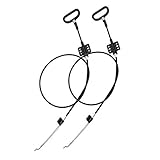
ttmagic Metal Recliner Handle Replacement Parts with Cable, Universal Recliner Sofa Chair Couch Release Lever Pull Handle, Fits Ashley and Major Recliner Brands, Exposed Cable Length 4.9“
Recliner Replacement Parts with Pull Handle and Release Cable (2-Sets), Repair Recliner Mechanism Parts Compatible with Most Furniture of Recliner Sofa Couch Chair
ttmagic Universal Heavy-Duty Metal Sofa Chair Recliner Release Pull Handle Replacement Parts, Fits Ashley, Lazy Boy and Most Recliner Brands, 3.5"L x 3"W x 1.2"H Handle Size
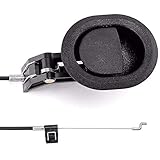
ttmagic Sofa Chair Recliner Release Pull Handle 3" by 3.5" Replacement Parts with Cable, Fits Ashley Lazy Boy and Most Recliner Brands Couch Sofa Chair Furniture, Exposed Cable Length 4.9"
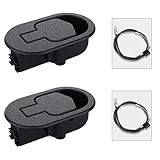
Baridwon 2 Set Recliner Replacement Parts, Durable Recliner Release Pull Handle with Recliner Pull Cable, Repair Replacement Parts Compatible with Most Furniture of Recliner Chair Sofa Couch