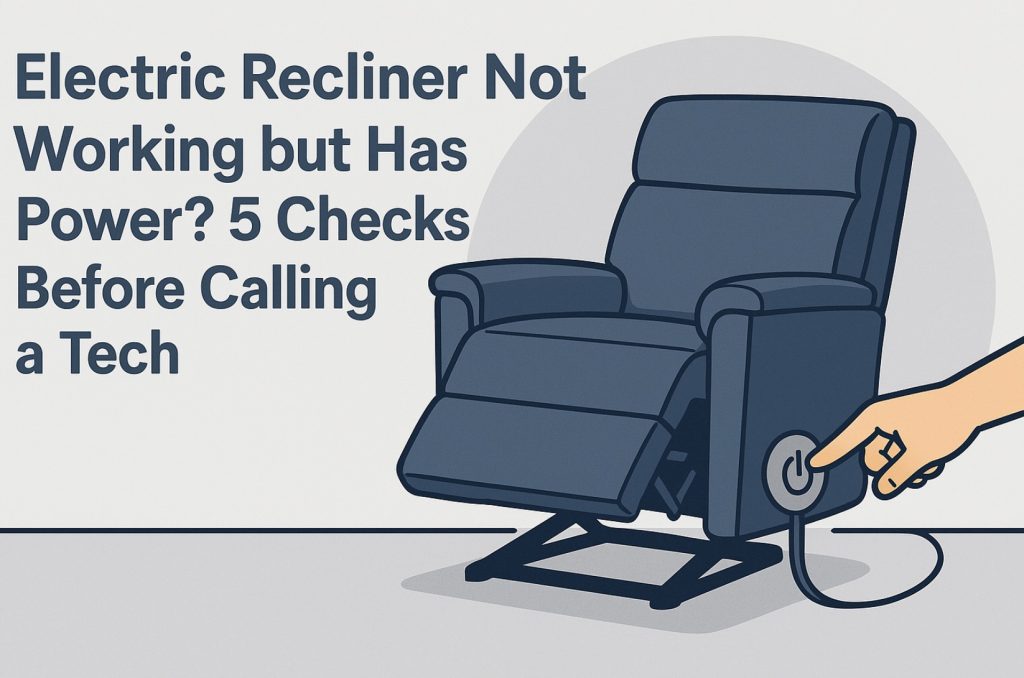
Nothing kills chill time like an electric recliner that suddenly stops moving—even though the outlet and lights are still on. Before you pay for a service call, walk through these five checks. In a lot of cases, it’s a loose plug, a stubborn remote, or a simple reset you can handle yourself.
- Common Symptoms
- Safety & Setup
- How the Power System Works
- Check 1 – Outlet, Power Bar & Transformer
- Check 2 – Hand Control / Remote
- Check 3 – Cables, Connectors & Under-Chair Wiring
- Check 4 – Motor/Actuator Jams & Obstructions
- Check 5 – Overload, Reset & Lockout Features
- Quick Shopping Links
- Quick Parts & Tools
- When to Call a Tech
- FAQ
Common Symptoms When a Powered Recliner “Has Power” but Won’t Move
- LED on the power brick is lit, but nothing moves: You hear nothing when you press buttons.
- You hear clicking or a faint hum, but no motion: Motor is energized, but jammed or stalled.
- USB port charges your phone, but recline buttons are dead: Control logic, remote, or wiring problem.
- One side/seat works and another doesn’t: Multi-seat sofas can have separate motors and wiring for each seat.
Safety & Setup
- Unplug before going underneath: For most checks you can leave power connected, but any time you flip or crawl under the chair, unplug it first.
- Use a helper: Electric recliners are heavy and awkward to tilt—get someone to steady it.
- Watch for pinch points: Keep fingers clear of scissor arms, hinges, and lift mechanisms when testing motion.
- Use good lighting: A rechargeable work light makes it much easier to see connectors and labels under the chair.

Power Recliner Power Supply, Sopito 2-Pin AC/DC Adapter 100-240V, Quality 29V 2A Switching Transformer, Replacement Part for Recliner Couch/Electric Sofa/Lift Chair/Standing Desk

Power Recliner Power Supply, AC/DC Switching Power Supply Transformer 2-pin 29V/24V 2A Adapter with AC Power Cord for Electric Power Recliner Lift Chair

Universal Power Recliner Power Supply, 29V 2A 2 Pin AC/DC Switching Power Supply Adapter for Electric Recliner/Couch/Lift Chair/Standing Desk
How the Power System Works (So Your Checks Make Sense)
Most electric recliners follow the same basic power path:
- Wall outlet → surge strip/power bar (optional).
- Power transformer/brick → low-voltage cable under the chair.
- Junction box/Splitter → one or more actuators (motors) and the hand control (remote or switch panel).
If any piece of that chain is loose, damaged, or locked out, the whole recliner can appear dead. If you’re not sure what type of mechanism you’re looking at, our visual breakdown in Types of Recliner Mechanism is a great primer before diving in.
Check 1 – Outlet, Power Bar & Transformer
Goal: Make sure good power is actually reaching the recliner’s transformer.
- Test the wall outlet: Plug in a lamp or phone charger to confirm the outlet is live. For peace of mind, use an outlet tester to check for wiring issues.
- Check the surge protector/power bar: If you’re plugged into a strip, verify its switch and reset button. Try plugging the recliner directly into the wall as a test.
- Inspect the power brick: The transformer usually has a small LED. Is it lit, off, or flickering? A dead or blinking light often means the brick has failed.
- Reseat every plug: Unplug and firmly reconnect the AC cord, the brick, and the low-voltage output cable. Loose barrel connectors are a top cause of “mystery” failures.
- Try a known-good adapter: If you have a compatible spare, or decide to swap, look for a 24–29V DC unit like a 29V 2A recliner power supply with the same plug style (2‑pin, 5‑pin, etc.).
If your brick LED stays off on multiple outlets while other devices work fine, the transformer is probably your first replacement part.
Check 2 – Hand Control / Remote
Goal: Confirm the remote or switch panel isn’t the weak link.
- Look for lights or a display: Some hand controls have backlit buttons or a status LED. If the brick LED is on but the remote is completely dark, it may not be getting power.
- Check the handset cable: Follow the cord from the remote down to the junction box. Make sure the plug is fully seated and not half‑pulled out or damaged.
- Try all buttons: Sometimes only one direction fails (for example, up works but down doesn’t). That points strongly to a bad switch contact in the remote.
- Look for lock/child safety features: Some remotes have a lock button combo that disables movement. Check your manual or look for a small lock icon on the control.
- Swap the remote if possible: If another seat on the same sofa has a working remote with the same connector, swap them. If the problem follows the remote, it’s the culprit.
If you determine the hand control is faulty, replacing it is often plug-and-play. For a deeper walkthrough on how to match pins and styles, see our guide on finding the right replacement remote for your power recliner.
Remote-Related Parts to Consider
- 5‑pin recliner remotes for many common power recliner systems.
- Multi‑button hand controls with headrest, lumbar, and USB options.
Check 3 – Cables, Connectors & Under-Chair Wiring
Goal: Find loose, pinched, or damaged low‑voltage cables under the recliner.
- Unplug and tilt the chair: Lay the recliner on its back or side on a blanket so you can see the underside comfortably.
- Trace the low-voltage path: Start at the power brick output, follow the cable to the junction box, then out to each actuator and the remote.
- Check each connector: Many systems use color-coded plugs or labelled ports (M1, M2, CTRL). Make sure each one is fully seated in the correct port.
- Look for pinch points and damage: Cables caught in scissor arms, crushed under the base, or chewed by pets are common failure points. Replace badly kinked or cut cords with a matching recliner extension/replacement cable.
- Secure everything neatly: Once reconnected, bundle excess cable away from moving parts using zip ties and adhesive cable clips.
Many “has power but won’t move” cases turn out to be a single under-chair connector that vibrated loose over time.
Check 4 – Motor/Actuator Jams & Obstructions
Goal: Decide whether something is physically blocking movement or the actuator itself is failing.
- Listen while pressing a button: If you hear a hum or click from under the chair but no movement, the motor is trying to run and is jammed or weak.
- Check for obstructions: With the chair unplugged and tilted, look for fabric, toys, cords, or carpet edges wedged in the mechanism path.
- Look at the actuator rod: Linear actuators have a sliding rod. If it’s fully extended or fully retracted and at an odd angle, it may be bound up or installed crooked.
- Relieve load: Have no one sitting in the chair. Sometimes shifting the backrest or footrest by hand a few millimetres can free a light bind—never force it.
- Compare multiple motors: On multi-motor chairs, if one motor always hums but never moves while others work fine, it’s a strong sign that actuator needs replacement.
Replacement actuators are usually spec’d by voltage, stroke length, connector type, and brand (OKIN, Limoss, Kaidi, etc.). Match labels carefully when shopping for a recliner actuator motor.
Check 5 – Overload, Reset & Lockout Features
Goal: See if the chair has electronically locked itself out temporarily rather than “failing.”
- Thermal overload in motor or transformer: Many systems shut down if you run them repeatedly. Let the chair rest for 20–30 minutes unplugged, then plug back in and test again.
- Home/initialization sequence: Some models must be fully closed before they’ll move again. Hold the “close” or “reset” button until the chair returns to its home position.
- Battery backup state: If you’re using a wireless pack, it may be flat. Test with the wall adapter, or swap for a known-good recliner battery pack.
- Anti-tilt or safety switch: Some lift chairs won’t operate unless they sense all feet are on the floor. Make sure the base isn’t resting on cables or uneven surfaces.
- Child lock or lockout button: Double-check your remote and manual for lock icons or key combos that disable motion.
If your recliner wakes back up after a cool-down or reset, build in a short pause between moves and avoid “button mashing” to reduce thermal trips.
- Recliner power supplies (29V 2A) — replace dead or weak transformers.
- 5‑pin and multi‑button remotes — fix dead or intermittent hand controls.
- Extension/replacement motor cables — repair pinched or damaged wiring runs.
- Actuator motors — swap jammed or burned-out drive units.
- Wireless battery packs — for cord-free setups near floating sofas.
Quick Parts & Tools
- Work light, safety glasses, and gloves for safer inspections.
- Outlet tester and surge protector to protect and verify power.
- Cable clips, zip ties, and floor cord covers to keep wires tidy and out of pinch zones.
- Ratcheting socket set and hex key set for tightening frame and mechanism bolts.
When to Call a Tech (or the Manufacturer)
- Under warranty: If your recliner is still within the manufacturer’s coverage period, contact them or the original retailer before swapping major parts yourself.
- Burnt smells or visible arcing: Stop using the chair and get a pro. Electrical burning odors or melted connectors are safety red flags.
- Repeated failures: If power bricks or actuators keep failing, there may be a deeper electrical or mechanical problem that needs expert diagnosis.
- Complex lift chairs: Multi-motor lift recliners with advanced safety features can be tricky; a lift‑chair specialist is often worth the cost.
If you’re already thinking about upgrading instead of repairing, use what you’ve learned here plus tools like the Recliner Size Calculator to pick a power recliner that better fits your body, room, and usage pattern.
FAQ: Electric Recliner Not Moving but Has Power
Why does my recliner click but not move?
A click with no motion usually means the relay is engaging, but the actuator is jammed or weak. Check for obstructions, then suspect the motor itself if other seats/motors on the same system work fine.
Can I run a power recliner through an extension cord?
It’s better to use a short, heavy-gauge cord if you must. Long, thin extension cords can cause voltage drop and weird behavior. A quality heavy-duty extension cord and surge protector are safer choices.
My USB port works, but the chair won’t move. Why?
USB power can come from a separate module that still works even if the control logic or motor circuit has failed. Treat this as a remote/wiring/actuator problem rather than a total power loss.
Is it safe to keep trying the buttons if it’s stuck?
Repeatedly hammering the buttons can overheat the motor or brick. If it doesn’t move after a few attempts, stop and work through the checks above instead of forcing it.
Wrap-Up
An electric recliner that “has power” but won’t move is usually fixable without a full teardown. By checking the outlet and transformer, hand control, under‑chair wiring, actuator, and reset/lockout features—plus swapping a few relatively inexpensive parts—you can often bring your chair back to life and save the tech visit for truly complex problems.

ttmagic Metal Recliner Handle Replacement Parts with Cable, Universal Recliner Sofa Chair Couch Release Lever Pull Handle, Fits Ashley and Major Recliner Brands, Exposed Cable Length 4.9“
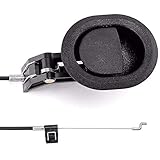
ttmagic Sofa Chair Recliner Release Pull Handle 3" by 3.5" Replacement Parts with Cable, Fits Ashley Lazy Boy and Most Recliner Brands Couch Sofa Chair Furniture, Exposed Cable Length 4.9"
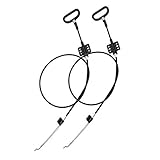
Recliner Replacement Parts with Pull Handle and Release Cable (2-Sets), Repair Recliner Mechanism Parts Compatible with Most Furniture of Recliner Sofa Couch Chair
ttmagic Universal Heavy-Duty Metal Sofa Chair Recliner Release Pull Handle Replacement Parts, Fits Ashley, Lazy Boy and Most Recliner Brands, 3.5"L x 3"W x 1.2"H Handle Size
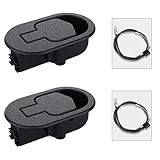
Baridwon 2 Set Recliner Replacement Parts, Durable Recliner Release Pull Handle with Recliner Pull Cable, Repair Replacement Parts Compatible with Most Furniture of Recliner Chair Sofa Couch